
| Density, ρ | Specific Volume, ν |
|---|---|
| 76.79 lb/ft³ | 0.013023 ft³/lb |
The layout is designed for fast reading. The result table gives the key numbers at the top. The control area lets the user choose the liquid and set the conditions. The graphs show how the density changes across a range of temperatures and pressures.

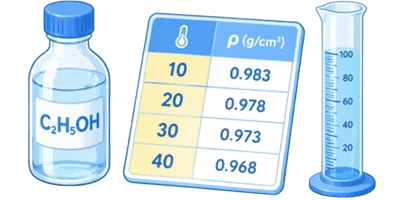

The calculator focuses on 3 things:
- Density — how much mass is packed into a given volume.
- Specific volume — how much volume belongs to a given mass.
- The effect of temperature and pressure — because liquids do not stay perfectly fixed when the conditions change.
Table of Contents
How to use the calculator
The workflow is straightforward. No special training is needed.
- Step 1. Pick the liquid from the material list.
- Step 2. Choose the unit system. Imperial is the default.
- Step 3. Set the temperature.
- Step 4. Set the pressure.
- Step 5. Read the density and specific volume at the top.
- Step 6. Look at the two graphs to see how the current liquid behaves around the selected point.
That is all most users need. The calculator updates as soon as the values change, so there is no extra button for recalculation.
Why the unit switch matters
📐 Many chemical references are printed in metric units, while many job sites, plant logs, and field notes still use imperial values. That is where the unit selector becomes useful. It keeps the calculator from feeling awkward when switching between office work and field work.
In imperial mode, the calculator uses:
- Temperature in °F
- Pressure in psi
- Density in lb/ft³
- Specific volume in ft³/lb
In metric mode, the calculator uses:
- Temperature in °C
- Pressure in MPa
- Density in kg/m³
- Specific volume in m³/kg
That means the whole interface stays aligned with the chosen system. The result table, graph labels, and input fields all change together.
What the density number means in real life
Density is easy to read but often misunderstood. A higher density means the liquid is heavier for the same amount of space. A lower density means it is lighter.
This matters when judging how a liquid will behave in storage, how much mass is in a tank, and whether two liquids may separate by layer. It also matters when comparing similar chemicals. A weak solution and a strong solution can look alike, but their densities may be very different.
Specific volume is the same idea turned around. Instead of asking how much mass fits into 1 unit of volume, it asks how much volume belongs to 1 unit of mass. That is useful when planning how much space a given mass of liquid will need.
Simple formulas used by the calculator
The formulas below are shown in plain text so they are easy to read.
Density at current conditions
density = adjusted density for temperature, then adjusted for pressure
Specific volume
specific volume = 1 / density
Temperature effect
as temperature goes up, density usually goes down
Pressure effect
as pressure goes up, density usually goes up a little
The exact relationship depends on the selected liquid. Some acids change more noticeably with temperature. Some alkaline solutions react more strongly to pressure. The calculator handles those differences using built-in reference values.
Material list: what the options are for
The calculator includes a wide range of common acids, alkalis, and related solutions. This helps when the exact liquid name matters more than a generic label like “acid” or “alkali.”
| Material | Common meaning | Typical use | What the user gets from it |
|---|---|---|---|
| Electrolyte | General battery-style liquid | Battery service and maintenance | Quick reference for a common working solution |
| Sulfuric Acid | Strong mineral acid | Batteries, industrial processing | One of the most searched acid density values |
| Hydrochloric Acid | Hydrogen chloride solution | Cleaning, pickling, process work | Useful for strong acid handling checks |
| Nitric Acid | Strong oxidizing acid | Etching, chemicals, production | Helpful for handling and storage planning |
| Phosphoric Acid | Widely used industrial acid | Food, rust removal, fertilizers | Useful for mixed-use reference work |
| Acetic Acid | Acid found in vinegar and industry | Food, cleaning, manufacturing | Good for lighter acid comparison |
| Formic Acid | Simple organic acid | Textiles, preservation, chemicals | Useful when a sharper organic acid is involved |
| Hydrofluoric Acid | Specialty acid | Glass work, industrial treatment | Important for safety and storage reference |
| Carbonic Water | Carbonated water-like liquid | Process and lab-style use | Helps compare a light acidified solution |
| Citric Acid | Common organic acid | Food, cleaning, descaling | Good for everyday reference |
| Lactic Acid | Organic acid | Food, cosmetics, processing | Useful for mild acid solutions |
| Boric Acid | Weak acid | Industrial and laboratory use | Helpful for lower-strength acid work |
| Caustic Soda | Sodium hydroxide solution or form | Cleaning, soap, processing | Common alkali reference point |
| Potash | Potassium carbonate or related alkali | Soap, glass, chemicals | Useful for alkali comparison |
| Ammonia Water | Ammonia solution | Cleaning and processing | Good for lighter alkaline liquids |
| Sodium Hydroxide | Strong alkali | Drain care, cleaning, production | High-density alkali reference |
| Potassium Hydroxide | Strong alkali | Soap, batteries, industrial work | Important for concentrated base handling |
| Lime Milk | Suspension of lime in water | Water treatment, processing | Useful for suspended alkaline systems |
| Lime Water | Clear calcium hydroxide solution | Testing and treatment | Handy for lower-strength alkali checks |
| Sodium Carbonate | Washing soda | Cleaning, glass, treatment | Good household and industrial reference |
| Sodium Bicarbonate | Baking soda | Food and cleaning | Easy-to-recognize lower-alkali example |
| Liquid Glass | Sodium silicate solution | Adhesives, sealants, coatings | Useful for specialty process work |
| Bleach | Common cleaning solution | Sanitation and cleaning | Handy for household and facility checks |
Unit reference table
These are the built-in display systems the calculator uses. The table below helps make the choice easier.
| System | Temperature | Pressure | Density | Specific volume |
|---|---|---|---|---|
| Imperial | °F | psi | lb/ft³ | ft³/lb |
| Metric | °C | MPa | kg/m³ | m³/kg |
| Best for quick field reading | Imperial | Imperial | Imperial | Imperial |
| Best for technical reports | Metric | Metric | Metric | Metric |
| Default setting | °F | psi | lb/ft³ | ft³/lb |
How to read the result table
The top table gives 2 numbers:
- Density, ρ — this is the main value most users are looking for.
- Specific Volume, ν — this is the inverse of density, useful for storage and volume planning.
In imperial mode, the numbers are shown in lb/ft³ and ft³/lb. In metric mode, the same values appear in kg/m³ and m³/kg. The meaning does not change, only the unit system does.
That means the user can stay inside one unit system from start to finish without manual conversions.
Temperature and pressure in plain language
Temperature changes the spacing between liquid particles. Warm liquid usually spreads out more, so density drops. Cold liquid usually packs tighter, so density rises.
Pressure has the opposite direction. More pressure squeezes liquid a little more, so density tends to rise slightly. For many liquids the pressure effect is modest, but it still matters in a calculator like this because the user may be comparing readings across different conditions.
This is why the two graphs are useful. One graph shows how the liquid behaves when temperature changes and pressure stays fixed. The other shows how the liquid behaves when pressure changes and temperature stays fixed.
Imperial example: how a user might work through it
Here is a simple example using imperial units, since the calculator opens that way by default.
Example setup
- Unit system: Imperial
- Material: Electrolyte
- Temperature: 68 °F
- Pressure: 14.5 psi
What happens next?
The calculator shows the density in lb/ft³ and the specific volume in ft³/lb. For the default electrolyte example, the displayed density is about 76.79 lb/ft³ and the specific volume is about 0.013023 ft³/lb.
That means 1 ft³ of this liquid weighs about 76.79 lb, while 1 lb of this liquid takes up about 0.013023 ft³.
This kind of reading is helpful when checking tank fill estimates, comparing one solution against another, or getting a quick sense of how heavy the liquid is before any deeper calculation.
More practical examples users can try
The calculator becomes more useful when different materials are compared under the same conditions. That makes differences easier to see.
| Material | Suggested starting point | What to look for | Why it matters |
|---|---|---|---|
| Sulfuric Acid | 68 °F, 14.5 psi | High density | Useful in battery and process work |
| Hydrochloric Acid | 68 °F, 14.5 psi | Moderately high density | Common in cleaning and treatment |
| Acetic Acid | 68 °F, 14.5 psi | Lower density than strong mineral acids | Good for mild acid comparison |
| Sodium Hydroxide | 68 °F, 14.5 psi | Strong alkali reading | Helpful in soap and cleaning work |
| Ammonia Water | 68 °F, 14.5 psi | Lower density than heavy alkalis | Useful for lighter solutions |
| Bleach | 68 °F, 14.5 psi | Middle-range density | Common in facility and home use |
| Liquid Glass | 68 °F, 14.5 psi | Noticeable density change | Useful in sealant and coating work |
| Lime Water | 68 °F, 14.5 psi | Lower-strength alkali behavior | Helpful for treatment and testing |
Reading the numbers without confusion
Some users focus only on density and ignore specific volume. That is fine for a quick job, but specific volume can save time in planning. A small specific volume means the liquid is dense. A larger specific volume means the liquid is lighter.
Here is the simplest way to think about it:
- If density goes up, specific volume goes down.
- If density goes down, specific volume goes up.
They always move in opposite directions because one is the inverse of the other.
When the graph line matters more than the exact number
Sometimes the exact reading is less important than the trend. For example, a user may want to know whether a liquid stays stable across a working range. If the line is fairly smooth and steady, the liquid behaves predictably. If the line bends sharply, the liquid is more sensitive to changing conditions.
✍ That is useful for storage planning, delivery checks, and rough process decisions. The calculator makes this easy by showing both the current point and the surrounding curve.
What to do when the reading looks unexpected
There are a few easy checks when a result seems off.
First, confirm the unit system. A value in imperial mode will look very different from the same value in metric mode.
Second, confirm the selected material. Strong acids and weaker acids do not share the same density pattern.
Third, confirm the temperature and pressure. Even a small change can shift the result.
Fourth, make sure the displayed unit matches the number being read. Density and specific volume are opposite ideas, so it is easy to misread them at a glance.
How to make the most of the calculator
Keep the unit system consistent while checking one group of liquids. That makes comparisons cleaner.
Use the same temperature and pressure for each material when comparing densities.
Watch the graph, not only the number. The line shape often explains the behavior better than a single result.
Use the imperial mode when the task is field-friendly or shop-friendly.
Switch to metric mode when the result needs to match a technical report or international reference.
That simple habit avoids confusion and makes the output easier to trust.
Key takeaways
This calculator is a fast reference tool for acids, alkalis, and related liquids. It gives density and specific volume, shows how the values change with temperature and pressure, and keeps the whole interface consistent through a single unit selector. Imperial mode is the default, which makes it easy to start with °F and psi right away.
🎓 The main point is simple: choose a liquid, set the conditions, read the results, and check the graphs if the trend matters. That is enough for most practical jobs.
References
- CRC Handbook of Chemistry and Physics
- Perry’s Chemical Engineers’ Handbook
- U.S. National Institute of Standards and Technology, Chemistry and Thermophysical Property Resources
- PubChem Compound and Substance Records
- Ullmann’s Encyclopedia of Industrial Chemistry
- Dow and BASF technical product information for common acid and alkali solutions
- Standard industrial liquid density tables used in process engineering practice

David Parry — Senior Engineering Analyst
Specializing in electronics and physics-based simulations with 20+ years of engineering experience. David ensures the mathematical and physical accuracy of the tools at ProCalcLab.


