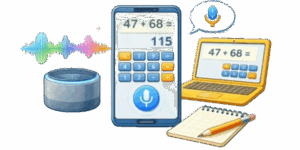
In the modern era of digital efficiency, the way we interact with technology is shifting from manual input to intuitive, voice-driven interfaces. Our Online Voice-Activated Calculator represents the pinnacle of this evolution, offering a seamless, hands-free experience for professionals, students, and DIY enthusiasts alike. Whether you are in the middle of a complex engineering project with your hands full or simply looking for a faster way to process large-scale arithmetic, our voice-command tool is designed to understand and execute your mathematical needs with surgical precision.


💻 Traditional on-screen calculators require constant attention, clicking, and manual typing. This process is not only slow but prone to human error, especially when dealing with long strings of numbers. By utilizing the Web Speech API, our tool allows you to speak naturally. You don’t have to adapt to the machine; the machine adapts to you. It is the perfect solution for multitasking environments where accuracy and speed are non-negotiable.
Table of Contents
Key Features and Capabilities
- Natural Language Processing (NLP): Our algorithm doesn’t just “hear” sounds; it understands mathematical intent. You can say “two million plus five hundred thousand,” and the system instantly converts these words into a solvable algebraic expression.
- Large Scale Support (Up to Trillions): Unlike basic voice tools, this professional-grade calculator handles massive values. From thousands and millions to billions and even trillions, the software is optimized for high-level financial and scientific calculations.
- Intelligent Speech Synthesis: The calculator talks back. Once a result is generated, it utilizes a high-quality American English voice to announce the answer, including proper handling of decimal points (“point”) and large units.
- One-Click Clipboard Integration: Efficiency doesn’t stop at the calculation. With the integrated “Copy Result” feature, you can instantly move your data into reports, spreadsheets, or CAD software without typing a single digit.
- Hands-Free Precision: Designed for “muck-on-hands” scenarios—perfect for woodworkers, automotive engineers, and laboratory researchers who need to stay focused on their physical task.
Detailed Command Guide: How to Speak Math
To get the best results from the Voice Command Calculator, use clear and concise language. The engine is tuned to recognize standard American English mathematical terms:
Basic Arithmetic
- Addition: Say “plus” (e.g., “125 plus 45”).
- Subtraction: Say “minus” (e.g., “1000 minus 350”).
- Multiplication: Say “times” or “multiplied by” (e.g., “12 times 12”).
- Division: Say “divided by” (e.g., “150 divided by 3”).
Handling Complex Numbers
Our system is specifically programmed to handle the nuances of how people actually speak. You can use decimals by saying “point” or “dot” (e.g., “5 point 75 times 2”). Furthermore, the calculator excels at large scale denominations. Instead of saying “one zero zero zero zero zero zero,” you can simply say “one million.” The system supports:
- Thousands (e.g., “fifty thousand”)
- Millions (e.g., “3.5 million”)
- Billions (e.g., “two billion”)
- Trillions (e.g., “one trillion”)
Technical Excellence: Behind the Scenes
This tool is built on a robust JavaScript framework that leverages cutting-edge browser capabilities. By using the webkitSpeechRecognition interface, we ensure low-latency processing. The calculation engine employs a sanitized eval() logic that pre-cleans all input, removing “verbal noise” and ensuring that only pure mathematical expressions reach the processor. This prevents errors caused by filler words or background noise.
👉 We have also addressed a common issue with Google’s automatic formatting. Many speech engines mistakenly insert periods as thousand-separators (e.g., writing 2.000 for two thousand). Our custom-built “Healing Logic” detects these formatting errors and restores the numbers to their intended value, ensuring that your result is always mathematically sound.
Beyond professional utility, the Voice-Activated Calculator is a vital tool for web accessibility. For individuals with motor impairments, visual challenges, or conditions like dyslexia that make traditional numerical input difficult, voice-to-math technology removes barriers. It provides an empowering, independent way to perform essential daily tasks without the need for specialized, expensive hardware.
Best Practices for Voice Input
To ensure 100% accuracy, follow these simple tips:
- Speak Clearly: While the engine is highly robust, a clear, steady pace helps the NLP differentiate between similar-sounding numbers (like “sixty” and “sixteen”).
- Minimize Background Noise: For the best experience, use the tool in a relatively quiet environment or use a dedicated microphone.
- Check the Status Box: The real-time status box shows you exactly what the calculator “heard” before it processes the final result, allowing for instant verification.
Frequently Asked Questions
Q: Does this calculator work on mobile devices?
A: Yes! Most modern Android and iOS devices support the Web Speech API through Chrome and Safari. You can calculate on the go directly from your smartphone.
Q: Is my voice data saved?
A: Absolutely not. The voice processing happens in real-time within your browser. We do not record or store your audio, ensuring total privacy for your sensitive financial or professional calculations.
Q: What is the maximum number it can calculate?
A: The calculator uses standard JavaScript 64-bit float precision, meaning it can handle numbers up to the quadrillions, though we have optimized the verbal output specifically for trillions.
The Future of Calculation
Our goal is to provide a tool that feels less like a static utility and more like a digital assistant. As web technologies continue to advance, we are committed to updating this calculator with even more complex functions, such as square roots, percentages, and algebraic variables—all controlled by the power of your voice.

David Parry — Senior Engineering Analyst
Specializing in electronics and physics-based simulations with 20+ years of engineering experience. David ensures the mathematical and physical accuracy of the tools at ProCalcLab.