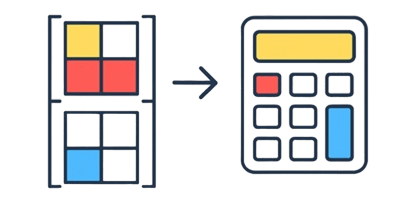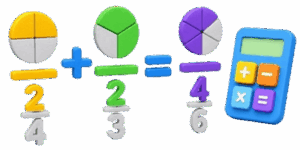
Fractions have a reputation for causing headaches. Adding them together gets even more complicated because of the dreaded common denominator rule. When looking at abstract numbers on a worksheet it is hard to grasp why adding a half and a third does not simply equal two-fifths. The disconnect happens because standard numerical notation does not show quantity or space. The 3D Fraction Addition Calculator solves this problem. It changes abstract math into real geometric objects that users can see turn and manipulate. By converting fractions into physical dimensions anyone can instantly understand how parts of a whole combine to create something new.

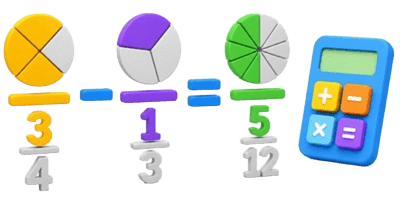
This user guide and reference manual will show how the tool works explore the simple math behind fraction addition and provide real-world examples to build total confidence. Whether working on home renovations splitting up land plots or cooking for a big family visualizing the process makes everything simpler. Let us dive in and see how the tool brings numbers to life.
Table of Contents
Why Slices and Cylinders Make Addition Easy
The main reason people get stuck on fraction addition is that the bottom numbers do not follow normal addition rules. If two apples are added to three apples the result is five apples. But adding one-half to one-third requires changing how the pieces are sliced before combining them. Without a visual aid this step feels like a random trick invented to make school harder.
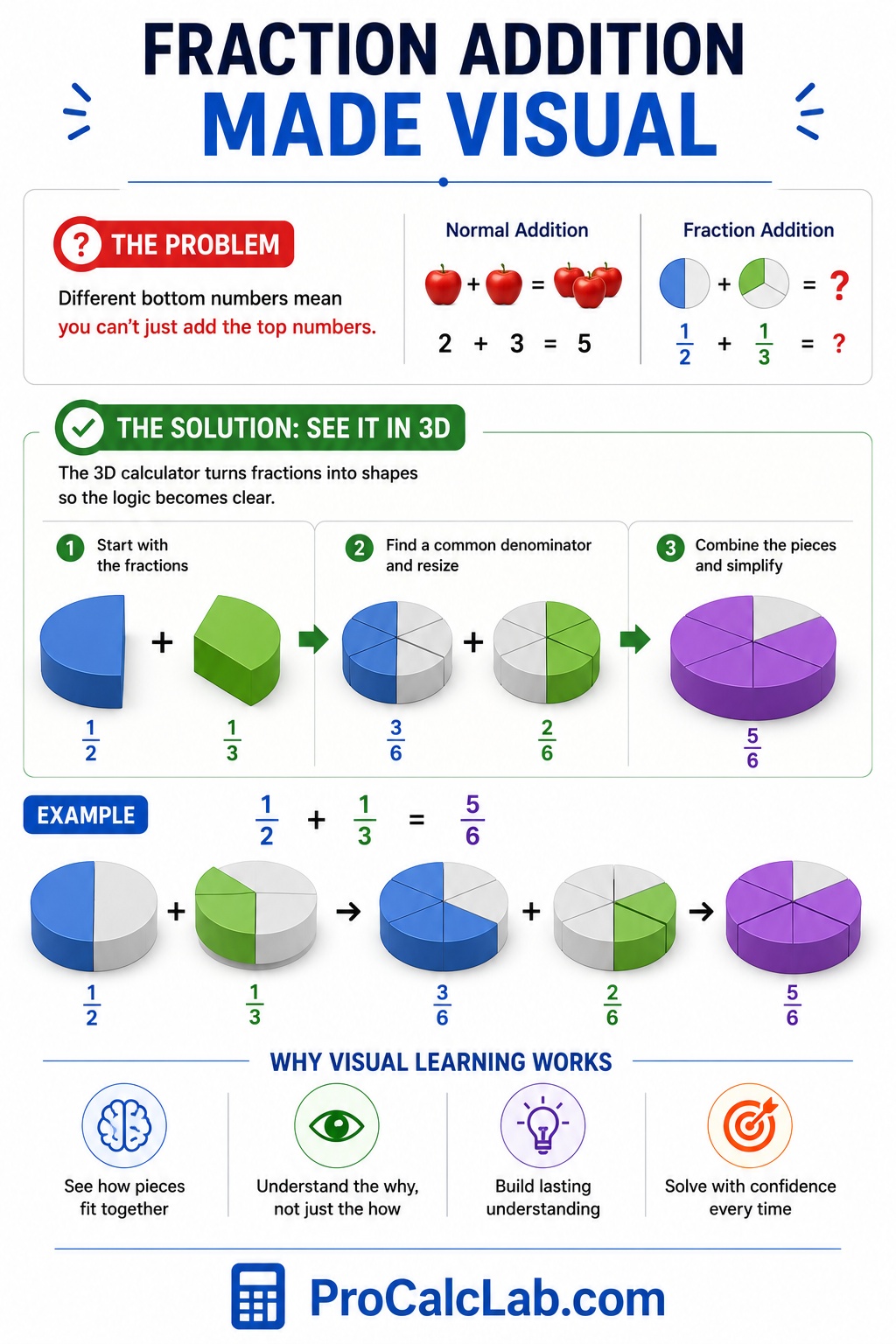
The 3D calculator removes the mystery by displaying quantities as distinct colorful cylinders. Whole numbers look like complete thick blocks. Proper fractions look like perfectly cut pie wedges. When values change the 3D shapes instantly shift size. Seeing two different wedges merge into a new combined shape helps the brain grasp the logic behind the numbers. This visual approach builds permanent understanding rather than temporary memorization.
How to Use the Interactive 3D Interface
The application is designed to be clean and simple. No configuration files or complex settings are required. Here is a walkthrough of how to control the calculator and get the most out of the experience.
The Interactive 3D Canvas
The largest portion of the tool is the viewport showing the 3D shapes. Users can click and drag their mouse or swipe their finger across this window to rotate the scene. This allows a complete look at the thickness and angles of the cylinders. The top shape is the first value colored in blue. The middle shape is the second value colored in orange. The final shape at the bottom is the result colored in vibrant green. Bold plus and equals signs sit between the shapes to clearly display the math story.
Input Fields and Sliders
Below the 3D window are the control zones. The left column controls the first number and the right column controls the second number. Each side features three input areas: the whole number the numerator top value and the denominator bottom value. Users can type integers directly into the boxes or use the sliders underneath for speedy adjustments. Moving a slider shows the 3D shapes growing or shrinking instantly which is perfect for experimenting and seeing how numbers change shapes.
Instant Text Output and Image Export
Directly below the canvas a clean text readout displays the simplified final answer. The fraction is stacked vertically with a clear line separating the top and bottom numbers. This mimics how fractions look in textbooks making it easy to read. A large button labeled Download Screenshot sits at the very bottom. Clicking this saves a clean picture of the current calculation and the 3D models which is great for digital homework or project notes.
The Simple Steps Behind Adding Fractions
While the tool does the math instantly knowing the steps builds great confidence. Adding fractions requires a common denominator so that all the pieces are the exact same size before being grouped together.
The Standard Equations
To add any two fractions follow these steps to find the answer manually.
Step 1: Convert mixed numbers into improper fractions where the top number is bigger than the bottom number.
Nimproper = W × D + Noriginal
W represents the whole number D represents the denominator and N represents the numerator.
Step 2: Find a common denominator by multiplying the two individual denominators together.
Dcommon = D1 × D2
Step 3: Adjust the numerators so they match the new denominator scale.
Nnew1 = N1 × D2
Nnew2 = N2 × D1
Step 4: Add the two new numerators together while keeping the common denominator.
Nfinal = Nnew1 + Nnew2
Step 5: Reduce the final fraction by dividing both parts by their greatest common factor and pull out any whole numbers if the top is larger than the bottom.
Practical Example 1: Combining Leftover Ingredients
Imagine a homeowner has two partially used containers of liquid fertilizer. One container has 1/3 of a gallon left and the other has 1/4 of a gallon left. To find out if they will fit into a single half-gallon jug they need to be added together.
To set this up in the tool leave the whole number fields at 0. On the left side set the numerator to 1 and the denominator to 3. On the right side set the numerator to 1 and the denominator to 4.
The calculator runs the formula: 1/3 becomes 4/12 and 1/4 becomes 3/12. Adding the top numbers gives 4 + 3 = 7. The common denominator stays 12. The final result is 7/12.
The 3D canvas displays a blue wedge representing a third of a circle and an orange wedge representing a quarter of a circle. At the bottom the green shape combines them showing seven individual slices out of a twelve-slice layout. Because 7/12 is slightly larger than 6/12 which is a half the user instantly knows the liquid will not fit into that half-gallon jug.
Practical Example 2: Mixing Whole and Broken Measurements
A woodworker is building a custom picture frame. The first decorative trim piece needs to be 2 1/2 inches long. The second matching extension piece must be 3/4 of an inch long. The builder needs the combined total length to make the final cut.
In the input panel set the left whole number to 2 the numerator to 1 and the denominator to 2. On the right set the whole number to 0 the numerator to 3 and the denominator to 4.
The manual math converts 2 1/2 into the improper fraction 5/2. Next it finds a common denominator of 4. The fraction 5/2 scales up to 10/4. Now the numerators can be added: 10 + 3 = 13. The resulting fraction is 13/4. Dividing 13 by 4 gives 3 whole inches with 1 left over. The simplified final answer is 3 1/4.
The 3D model visualizes this beautifully. The blue group shows two solid cylinders and one half-slice. The orange group shows a three-quarter slice. At the bottom the green group neatly assembles the pieces into three completely solid cylinders and one single quarter-slice confirming 3 1/4 inches without any guesswork.
Practical Example 3: Adding Massive Mixed Numbers
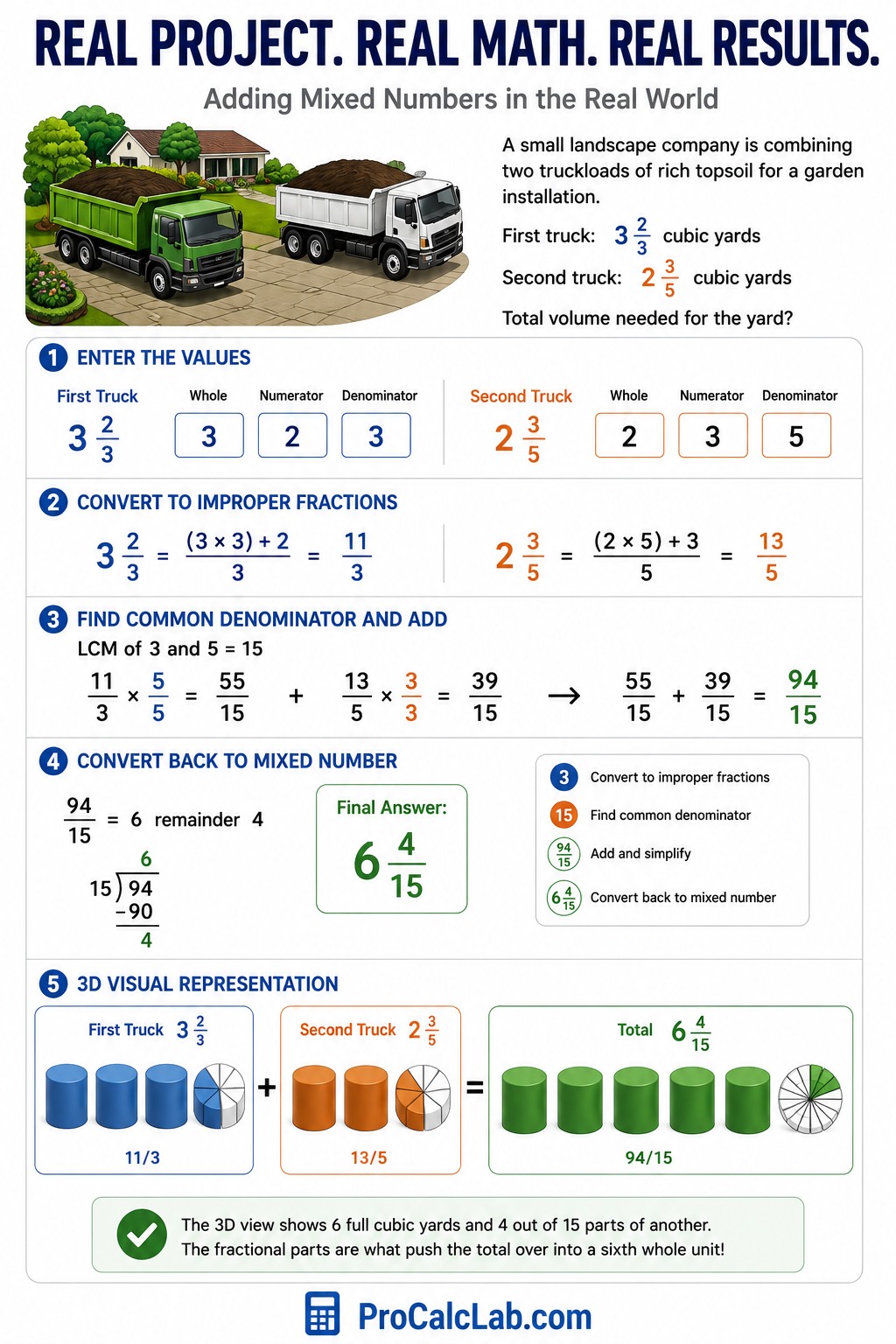
A small landscape company is combining two truckloads of rich topsoil for a garden installation. The first truck holds 3 2/3 cubic yards of soil and the second truck holds 2 3/5 cubic yards. The crew needs the total volume to confirm they have enough material for the yard.
Enter 3 for the left whole number 2 for the numerator and 3 for the denominator. For the right side enter 2 for the whole number 3 for the numerator and 5 for the denominator.
The system converts both into improper fractions: 3 2/3 becomes 11/3 and 2 3/5 becomes 13/5. The common denominator for 3 and 5 is 15. Scaling up the fractions results in 55/15 and 39/15. Adding the top numbers gives 55 + 39 = 94. The fraction is 94/15. Dividing 94 by 15 results in 6 whole units with a remainder of 4. The final answer reads 6 4/15.
The 3D view handles this complex shape layout with ease. It displays the multiple cylinders stacked cleanly next to each other. The final green output displays six full solid cylinders and a small piece divided into fifteen tiny slices with four of them filled in. The user sees exactly how the fractional parts push the total value over into a sixth whole cylinder.
Quick Reference Data Tables
These reference charts help users quickly check common fraction combinations used in daily measurements math homework and trade work without doing manual calculations.
Table 1: Common Fraction Addition Pairs and Results
This table displays the most common everyday fraction additions simplified into final mixed numbers and clean decimal readouts.
| First Fraction | Second Fraction | Simplified Sum | Decimal Value |
|---|---|---|---|
| 1/2 | 1/2 | 1 | 1.0 |
| 1/2 | 1/3 | 5/6 | 0.83 |
| 1/2 | 1/4 | 3/4 | 0.75 |
| 1/2 | 3/4 | 1 1/4 | 1.25 |
| 1/2 | 1/8 | 5/8 | 0.63 |
| 1/2 | 3/8 | 7/8 | 0.88 |
| 1/2 | 5/8 | 1 1/8 | 1.13 |
| 1/3 | 1/3 | 2/3 | 0.67 |
| 1/3 | 1/4 | 7/12 | 0.58 |
| 1/3 | 2/3 | 1 | 1.0 |
| 1/4 | 1/4 | 1/2 | 0.5 |
| 1/4 | 3/4 | 1 | 1.0 |
| 1/4 | 1/8 | 3/8 | 0.38 |
| 1/4 | 3/8 | 5/8 | 0.63 |
| 1/4 | 5/8 | 7/8 | 0.88 |
| 1/4 | 7/8 | 1 1/8 | 1.13 |
| 3/4 | 3/4 | 1 1/2 | 1.5 |
| 3/4 | 1/8 | 7/8 | 0.88 |
| 3/4 | 3/8 | 1 1/8 | 1.13 |
| 3/4 | 5/8 | 1 3/8 | 1.38 |
Table 2: Base Fraction to Decimal and Millimeter Equivalents
An essential reference chart for matching standard imperial measuring tape intervals with metric systems during assembly or engineering projects.
| Imperial Fraction | Decimal Equivalent | Metric Millimeters |
|---|---|---|
| 1/16 | 0.06 | 1.6 mm |
| 1/8 | 0.13 | 3.2 mm |
| 3/16 | 0.19 | 4.8 mm |
| 1/4 | 0.25 | 6.4 mm |
| 5/16 | 0.31 | 7.9 mm |
| 3/8 | 0.38 | 9.5 mm |
| 7/16 | 0.44 | 11.1 mm |
| 1/2 | 0.50 | 12.7 mm |
| 9/16 | 0.56 | 14.3 mm |
| 5/8 | 0.63 | 15.9 mm |
| 11/16 | 0.69 | 17.5 mm |
| 3/4 | 0.75 | 19.1 mm |
| 13/16 | 0.81 | 20.6 mm |
| 7/8 | 0.88 | 22.2 mm |
| 15/16 | 0.94 | 23.8 mm |
| 1 | 1.00 | 25.4 mm |
Pro Tips for Avoiding Simple Math Mistakes
🎓 Even with an automated 3D engine nearby it is easy to make data entry slip-ups. The most frequent error is typing a zero into the denominator box. A fraction cannot have a bottom value of zero because dividing a shape into zero pieces is physically impossible. The calculator protects against this by defaulting to a value of one to prevent broken code errors.
Another classic blunder is ignoring the whole number boxes when working with mixed quantities. If an individual adds 1 1/2 and 2 1/4 but leaves the whole numbers as 0 the application will only calculate 1/2 + 1/4 which gives an incorrect result of 3/4. Train your eyes to look over the entire row of control boxes before locking in an answer. Use the 3D shapes as a sanity check. If you know you are adding multiple large items together but the canvas only shows a tiny single green slice look back at the inputs to find the missing whole number values.
Conclusion
The 3D Fraction Addition Calculator turns a stressful abstract chore into an easy visual activity. By showing exactly how slices resize and merge it removes the confusion behind common denominators. Use the sliders to play with different setups use the rotation tool to inspect the geometry from unique viewpoints and save your results with the screenshot button. Math does not have to be an exercise in memorizing dry rules. When numbers are turned into real physical structures clarity follows naturally.
List of References
- Lamon S. J. Teaching Fractions and Ratios for Understanding: Essential Content Knowledge and Instructional Strategies for Teachers. Routledge 2012.
- McNamara J. & Shaughnessy M. M. Beyond Pizzas & Pies: 10 Essential Strategies for Supporting Fraction Sense. Math Solutions 2010.
- National Research Council. Adding It Up: Helping Children Learn Mathematics. National Academies Press 2001.
- Wu H. Understanding Numbers in School Mathematics. American Mathematical Society 2011.
- Cramer K. & Wyberg T. Efficacy of Visual Models in Developing Fraction Construct Competency. Journal for Research in Mathematics Education 2009.

Markus Fletcher — Structural Design Specialist
Expert in structural integrity, 3D modeling, and applied mathematics. Markus focuses on creating precise tools for construction professionals and DIY engineers.