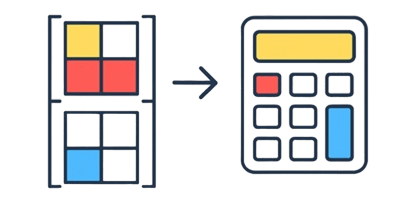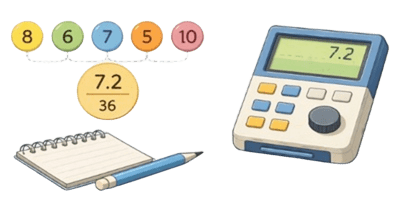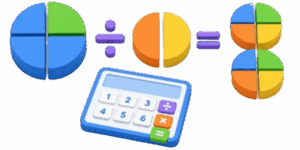
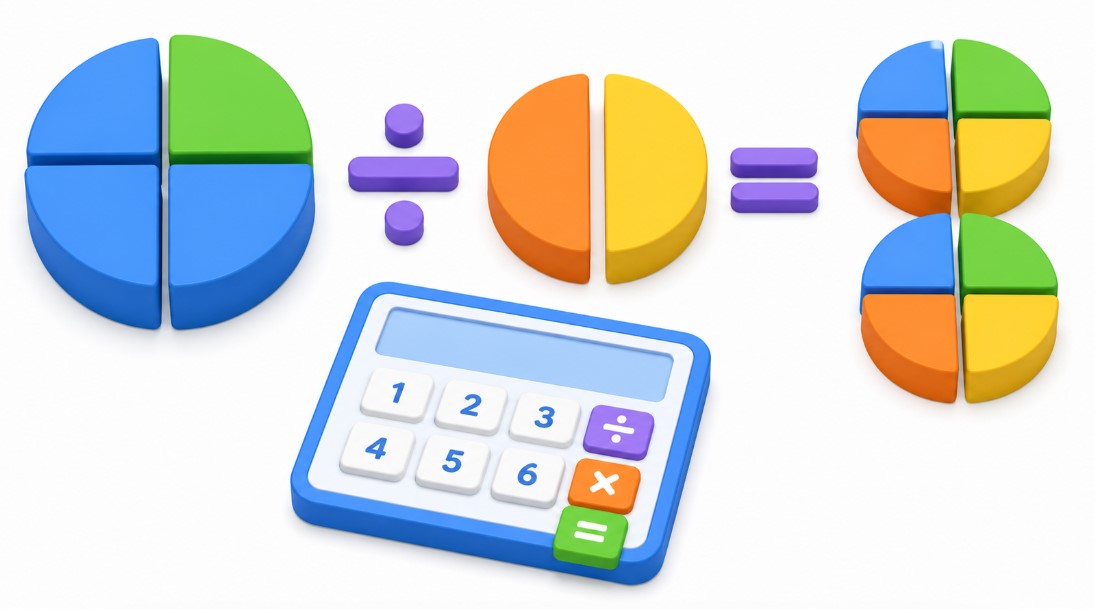
Mathematics often feels like an abstract puzzle where numbers disappear into thin air. Fractions, in particular, present a unique challenge for students and adults alike. Visualizing how parts relate to a whole is the missing link in truly grasping division. This interactive 3D Fraction Division Calculator bridges the gap between static textbook numbers and dynamic spatial reasoning. It turns dry arithmetic into a tangible experience by rendering fractions as physical slices of a whole.
Table of Contents
The Power of Visual Arithmetic
When dividing fractions, the traditional “invert and multiply” rule is a standard procedure. However, memory fails under pressure. Seeing the process unfold in three dimensions allows the brain to connect the quantity of the dividend and the divisor to the resulting quotient. The goal of this tool is to strip away the anxiety surrounding math and replace it with direct observation.
Why Visualizing Matters
- Concepts become concrete objects
- Relationships between numerators and denominators appear instantly
- Geometric proportions replace rote memorization
- Immediate feedback loops reinforce correct strategies
How to Utilize the 3D Calculator
Operating this tool requires zero programming knowledge or complex setup. The interface is divided into a viewing pane and a control section.
- Locate the input fields at the bottom of the screen.
- Enter the whole number and the fractional part for the left value.
- Adjust the right side values to represent the divisor.
- Watch the 3D scene automatically update to reflect the division.
- The central window displays the result in a clear, vertical fractional format.
- Use the Download Screenshot button to save the current visualization for your notes.
The interface is calibrated to handle numbers up to 20, providing enough range for classroom exercises and practical home problems. If you ever hit an error, it is likely due to an attempt to divide by zero, which remains mathematically undefined.
Understanding Fractional Relationships
To effectively use the calculator, it helps to keep a few fundamental conversion rules in mind. The tool performs these conversions behind the scenes to render the circles, but knowing them helps track the progress of your calculation.
| Concept | Definition | Example |
|---|---|---|
| Proper Fraction | Value less than one | 3/4 |
| Improper Fraction | Value greater than one | 7/4 |
| Mixed Number | Whole number plus fraction | 1 3/4 |
The calculator automatically simplifies all results. If your input creates an improper fraction, the engine handles the conversion into a mixed number to ensure the visual representation remains accurate.
Core Principles of Fraction Division
At the heart of every calculation performed here lies the concept of finding how many divisors fit into the total quantity. You are essentially measuring a larger area using a smaller, fractional unit.
Essential Mathematical Formulas
You can verify the calculations on paper using these straightforward steps:
Conversion to improper fraction:
N = (W * D) + Ns
Standard division process:
(N1 / D1) / (N2 / D2) = (N1 * D2) / (D1 * N2)
Simplification: The result is divided by the greatest common divisor to reach the lowest terms.

Best Practices for Students and Learners
Consistency is vital when learning to manipulate fractions. Use this calculator not just to find the answer, but to predict it. Before inputting your numbers, try to sketch the fraction on paper. Once you enter the values, compare your sketch to the 3D model. This habit cultivates spatial intelligence and deepens your mathematical intuition.
Troubleshooting Common Issues
- Ensure denominators are non-zero
- Check that whole numbers are entered in the correct input field
- Reset the page if the 3D scene stops responding to input
- Use the slider controls for rapid experimentation
Mathematical Reference Table
Frequent reference to common fractional equivalents can speed up the learning process significantly.
| Fraction | Decimal | Percentage |
|---|---|---|
| 1/4 | 0.25 | 25% |
| 1/2 | 0.50 | 50% |
| 3/4 | 0.75 | 75% |
| 1/3 | 0.33 | 33% |
This tool is designed to support various learning styles. Whether you are a visual learner who needs to see the slices move, or an analytical learner checking your work against a machine, the interface provides the necessary feedback to ensure clarity.
Moving Beyond the Basics
Advanced users might notice that the calculator handles larger denominators by simplifying the visual representation. This is intentional. When denominators exceed certain limits, individual slices become difficult to distinguish. The tool manages this by scaling the visual output, ensuring the focus remains on the relationship between the quantities rather than the exact count of microscopic segments.
References
- Ma, Liping. Knowing and Teaching Elementary Mathematics. Routledge, 2010.
- Beckmann, Sybilla. Mathematics for Elementary Teachers. Pearson, 2017.
- National Council of Teachers of Mathematics. Principles and Standards for School Mathematics. 2000.
- Wu, Hung-Hsi. Understanding Numbers in Elementary School Mathematics. American Mathematical Society, 2011.

Markus Fletcher — Structural Design Specialist
Expert in structural integrity, 3D modeling, and applied mathematics. Markus focuses on creating precise tools for construction professionals and DIY engineers.