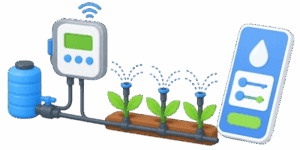
| Watering Time: | 0 min |
| Water Usage: | 0 gal |
| Pressure: | 1.5 psi |
| Schedule: | Morning |
This calculator keeps the job clean and fast. Pick the soil type, choose the plant type, enter the area, temperature, and humidity, then read the result. That is it. The tool turns a few everyday inputs into a watering time, water usage, pressure estimate, and a simple schedule suggestion.



📊 The best part is the unit switch. It starts in imperial mode by default, so the labels and result values use ft², °F, gal, and psi. Flip it to metric and the same calculator speaks m², °C, L, and bar. The logic stays the same. Only the units and labels change, which makes it easier to use for different users without changing the workflow.
Table of Contents
What this calculator is for
This tool is meant for quick irrigation planning. It helps estimate how much water a lawn, vegetable bed, or tree area may need based on the size of the space, the weather, and the kind of soil. It is useful for people setting up sprinklers, checking watering times, or comparing how different conditions affect water use.

It is not trying to be a lab-grade irrigation model. It is built for practical day-to-day use. That means simple controls, readable output, and results that make sense at a glance.
How to use it
- Start at the top and work down. First choose the unit system. Imperial is the default, so the calculator opens in the format many users already know. Metric is there for anyone who prefers meters, liters, and Celsius.
- Next choose the soil type. Soil changes how water behaves in the ground. Sand drains fast, loam sits in the middle, and black soil holds moisture longer. Then choose the plant type. Lawn, vegetables, and trees all need different watering levels, so this choice affects the result in a real way.
- After that, set the area. The label changes with the unit system. In imperial mode it shows ft². In metric mode it shows m². Temperature and humidity come next. These two inputs help the calculator adjust the watering demand for hotter or drier conditions.
- Press Calculate and read the result table. Watering time shows how long the system should run. Water usage shows the estimated water amount. Pressure gives a rough pressure value for the setup. Schedule shows a simple timing suggestion based on heat.
- The Screenshot button is there for sharing or saving the current setup. It captures the calculator exactly as it looks on screen.
What each control changes
| Control | What it changes | Why it matters | Imperial mode | Metric mode |
|---|---|---|---|---|
| Unit switch | Changes the whole display system | Keeps labels, inputs, and results in one unit style | ft², °F, gal, psi | m², °C, L, bar |
| Soil type | Adjusts how water moves through the ground | Sandy ground usually needs more frequent watering | Same behavior | Same behavior |
| Plant type | Adjusts the watering need by crop or landscape type | Lawn, vegetables, and trees do not drink the same way | Same behavior | Same behavior |
| Area | Scales the final water demand | Bigger area means more water and longer run time | ft² | m² |
| Temperature | Changes the weather factor | Hotter air increases water demand | °F | °C |
| Humidity | Changes the weather factor | Drier air usually means more evaporation | % | % |
Simple formulas behind the result
The calculator uses short, practical formulas that are easy to understand. No heavy math is needed to use the tool, but the logic is simple enough to explain.
Weather factor = 1 + temp adjustment – humidity adjustment
Total water = area x plant factor x soil factor x weather factor
Time = total water / 10
Pressure estimate = 1.5 + area / 500
In imperial mode, the area is entered in ft² and temperature in °F. In metric mode, the area is entered in m² and temperature in °C. The calculator handles the switch for display and keeps the results readable in the chosen unit system.
Soil and plant factors explained
The calculator uses a simple factor system so the result reacts to real-world conditions without making the interface messy. Here is what the settings mean in plain language.
| Category | Option | Factor | What it means | When to expect it |
|---|---|---|---|---|
| Soil | Sand | 1.3 | Drains fast and loses water quickly | Dry, loose, fast-draining ground |
| Soil | Loam | 1.0 | Balanced and steady | Most common garden soil |
| Soil | Black soil | 0.8 | Retains moisture better | Heavier, richer, darker soil |
| Plant | Lawn | 5 | Moderate demand for even coverage | Grass areas and turf |
| Plant | Vegetables | 7 | Higher demand for productive growth | Raised beds and garden rows |
| Plant | Trees | 12 | Higher total area need with deeper watering need | Orchards, yard trees, and young trees |
Unit switch guide
The unit switch is more than a cosmetic feature. It keeps the calculator easy to read no matter who is using it. The labels change, the range values adjust, and the result table changes its units too. That means the user does not need to mentally convert numbers while working.
| Item | Imperial display | Metric display | Example conversion idea |
|---|---|---|---|
| Area | ft² | m² | 100 ft² is about 9.3 m² |
| Temperature | °F | °C | 77 °F is 25 °C |
| Water usage | gal | L | 1 gal is about 3.785 L |
| Pressure | psi | bar | 1 bar is about 14.5 psi |
| Time | min | min | Time stays in minutes in both modes |
| Humidity | % | % | Same display in both systems |
Imperial example from start to finish
Here is a complete example using imperial numbers, since imperial is the default mode.
Suppose the user has a lawn area of 100 ft², temperature of 77 °F, and humidity of 50%. The soil is loam and the plant type is lawn.
Step 1: Convert the weather into a usable factor. At 77 °F, the temperature is close to the neutral point for the calculator, so the weather factor stays near the middle. With 50% humidity, the air is not especially dry, so the adjustment stays balanced.
Step 2: Use the plant factor. Lawn uses 5.
Step 3: Use the soil factor. Loam uses 1.0.
Step 4: Multiply the values.
Total water = 100 x 5 x 1.0 x weather factor
With near-neutral weather, the result stays close to 500 units of water in the calculator logic. The display then shows that amount in gallons in imperial mode.
Step 5: Calculate run time.
Time = total water / 10
So if total water is about 500, watering time becomes about 50 min.
Step 6: Read pressure.
Pressure = 1.5 + area / 500
Pressure = 1.5 + 100 / 500
Pressure = 1.7 psi
This example shows the basic flow. Small area, balanced soil, and moderate weather produce a manageable watering plan.
How to read the result table
The result table is designed for fast reading. Each row tells something different about the watering setup. The first row is the run time, which is usually the main number most users care about. The second row shows the estimated water usage. The third row shows pressure, which helps with system expectations. The last row gives a simple watering schedule suggestion.
| Result | What it tells the user | Good sign | Watch out for |
|---|---|---|---|
| Watering Time | How long the irrigation should run | Matches the area and plant type | Too short for dry or sandy soil |
| Water Usage | How much water the plan uses | Looks reasonable for the selected area | Very high values on a tiny area |
| Pressure | Estimated pressure level | Stays in a normal range for the setup | Big jumps when area gets large |
| Schedule | Simple timing advice | Morning for normal conditions | Late evening suggestion in hotter weather |
Practical tips for better results
Use the area field honestly. Do not guess too low. A watering plan only works when the size is close to real.
Pick the soil type that looks closest to the real ground. Sand and loam can behave very differently, even when the lawn looks similar from the surface.
Choose the plant type based on the main area being watered. A lawn strip does not need the same approach as a vegetable bed or a tree ring.
Do not ignore humidity. Hot air with low humidity can push the result higher than expected, and that is the point. The calculator is meant to react to actual conditions instead of giving the same answer every time.
Use the Screenshot button after finding a setup you like. That makes it easy to save a reference for later comparison.
Common ways people use the calculator
Some users open it to check sprinkler runtime before installing a new irrigation zone. Others use it to compare watering needs between a lawn and a garden bed. Some just want a fast number before setting a timer. The tool is flexible enough for all of those cases.
It also works well as a planning aid when switching between countries, suppliers, or older equipment that uses different units. Imperial and metric are both supported, so the user can stay in the system that feels natural.
Reading the schedule line
The schedule line is intentionally simple. It does not try to be a full irrigation calendar. It gives a fast suggestion based on temperature. When the temperature is high, the calculator leans toward a later watering time. When conditions are moderate, it suggests morning.
👉 This is useful because timing matters almost as much as volume. Watering in the wrong part of the day can waste water or reduce effectiveness. A short timing hint helps the user make a better choice without needing a full weather report.
Example values at a glance
| Example setup | Imperial input | Metric input | Expected result style |
|---|---|---|---|
| Small lawn | 100 ft², 77 °F, 50% | 9.3 m², 25 °C, 50% | Modest water use, short runtime |
| Dry sandy bed | 200 ft², 90 °F, 20% | 18.6 m², 32 °C, 20% | Higher water use, longer runtime |
| Tree area | 300 ft², 85 °F, 40% | 27.9 m², 29 °C, 40% | Highest factor mix, deeper watering need |
| Cool loam zone | 150 ft², 68 °F, 65% | 13.9 m², 20 °C, 65% | Lower weather pressure, steady result |
This calculator is not trying to measure soil moisture directly. It is not reading sensors. It is not checking pipe flow, sprinkler head brand, or exact emitter output. It is a practical estimator, not a hardware analyzer. That makes it faster and easier to use. It also keeps the interface simple enough for people who only want a quick answer. The value is in speed, clarity, and consistency.
Final takeaway
✍ This sprinkler watering calculator is built for fast decisions. Choose imperial or metric, set the soil and plant type, enter the area, temperature, and humidity, then read the result. The labels change with the unit system, the numbers stay easy to understand, and the result table gives the key watering details in one place.
For everyday irrigation planning, that is exactly what matters. No clutter. No wasted steps. Just a clear answer that helps turn a watering guess into a usable plan.
References
- University Extension guides on home irrigation and lawn watering
- FAO irrigation and crop water use resources
- USDA home landscape watering recommendations
- Local water utility conservation guides
- General landscape irrigation planning manuals

Markus Fletcher — Structural Design Specialist
Expert in structural integrity, 3D modeling, and applied mathematics. Markus focuses on creating precise tools for construction professionals and DIY engineers.