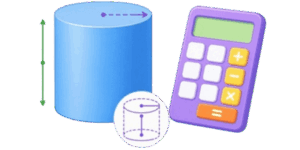
A cylinder looks simple at first glance, but the moment a project depends on the number, the details matter fast. A pipe section, a tank, a drum, a sleeve, a core, a round container, or a solid rod all need the right volume if the next step is going to come out right. That is where a 3D cylinder volume calculator becomes useful. It gives a clean, quick answer without forcing anyone to do the math by hand every time.



👉 This kind of tool is built for real use. It helps with basic sizing, quick checks, school work, shop work, packaging, fabrication, and planning. It also gives a visual 3D model, which matters more than people think. A picture makes it easier to confirm that the right shape is being measured. When the object is round and the numbers are tight, a small mistake can turn into wasted material, bad estimates, or a wrong order.
The best part is that the calculator does not ask the user to think like a textbook. It lets the user enter simple values, read the result, and move on. That keeps the job fast and clear. For anyone who needs a practical cylinder volume reference, this is the right kind of tool.
Table of Contents
What the calculator is for
The main job is simple. Enter the cylinder size and get the volume. Depending on the mode, the tool can also show surface area, wall thickness, and related values. The 3D view helps confirm whether the shape is solid, hollow, or cup-like. That is useful because cylinders are not always plain solid blocks. Sometimes they are pipes. Sometimes they are shells. Sometimes they are containers with a bottom. The shape matters, so the calculation has to match the shape.

Here is what the calculator usually helps with:
| Task | What the calculator does | Why it matters |
|---|---|---|
| Find volume | Calculates how much space the cylinder takes up | Needed for filling, packing, or material estimates |
| Check a solid part | Shows the volume of a full round body | Useful for rods, blanks, and turned parts |
| Check a hollow part | Subtracts the empty space inside | Useful for pipes, sleeves, and shells |
| Check a cup shape | Handles a cylinder with a bottom | Useful for cups, sleeves, and containers |
| See the shape | Shows a 3D model on screen | Makes it easier to catch input mistakes |
How to use it
The workflow is straightforward. Pick the type of cylinder, choose the unit system, enter the dimensions, and read the result. The 3D model and the 2D sketch both update as the numbers change, so the user can see the shape from more than one angle.
- Choose the cylinder type.
- Choose the unit system.
- Enter diameter, height, wall thickness, or bottom thickness if needed.
- Check the 3D model.
- Read the result table.
- Use the numbers for the actual job.
That is the whole point. The tool should feel like a fast assistant, not a puzzle.
The 3 cylinder types
Not every cylinder is built the same way. Some are solid. Some are hollow. Some are open at the top but closed at the bottom. The calculator handles these three cases because each one has a different amount of material and a different amount of empty space.

| Type | What it looks like | What the calculator focuses on |
|---|---|---|
| Solid | Full round body with no empty center | Total volume and surface area |
| Hollow | Pipe-like body with a center opening | Outer size, inner void, wall thickness |
| Cup | Open top with a closed bottom | Wall thickness, bottom thickness, inner capacity |
The basic formulas
The math is not complicated once the dimensions are clear. A cylinder is one of the cleanest shapes in geometry. The formulas below are the main ones users should remember.
| Formula | Plain meaning |
|---|---|
| Volume = pi x radius x radius x height | Used for a solid cylinder |
| Radius = diameter / 2 | Used when the calculator asks for diameter |
| Surface area = 2 x pi x radius x height + 2 x pi x radius x radius | Used for the full outside area of a solid cylinder |
| Hollow volume = outer volume – inner volume | Used for pipe-like shapes and empty centers |
| Capacity = inner empty volume | Used for a cup or container shape |
For quick mental checking, the key idea is easy: bigger diameter means much bigger volume. Taller cylinder means more volume too. But diameter has a stronger effect because it changes the round cross section.
Why unit choice matters so much
People often know the shape, but not the unit system. That causes mistakes. A number can look right and still be wrong if inches are treated like feet or millimeters are treated like meters. That is why the calculator uses a clear unit switch and shows the labels next to the values.
✍ The default can be set to feet for US-style work. That makes sense for a lot of everyday use. But the same calculator also needs inches, meters, and millimeters because some jobs are better measured that way. The tool should fit the job, not force the job to fit the tool.
Here is a simple unit reminder table:
| Unit | Best use | Quick note |
|---|---|---|
| ft | Larger parts, construction, US field work | Good default for American users |
| in | Small to medium parts, shop work, fabrication | Very common for detailed drawings |
| m | Metric planning and engineering work | Clean for large technical jobs |
| mm | Small parts, precise design, fine tolerances | Useful when the details matter most |
How to read the 3D view
The 3D model is not just decoration. It helps verify the shape before the user trusts the number. A solid cylinder looks different from a hollow one. A cup shape looks different from a pipe. That visual check can catch the kind of mistake that a number box will never warn about.

If the model looks too narrow, too wide, too short, or wrong in structure, the input should be checked again. Sometimes the issue is a wrong unit. Sometimes the issue is a wall thickness that is too large. Sometimes the issue is just a typo. The 3D preview makes those problems easier to spot before the result gets used anywhere important.
Why the 2D sketch still matters
The 3D view shows the shape. The 2D sketch helps with dimensions. Together they work better than either one alone. The sketch makes it easier to see diameter, height, wall thickness, and bottom thickness in a clean side view. That is especially helpful for hollow and cup shapes, where the inside space is just as important as the outside size.
What the calculator should show the user
For a good user experience, the result area should show the values that actually matter. That usually includes volume, surface area, and weight if material density is part of the setup. For a hollow or cup shape, it can also show inner capacity. That gives the user more than one useful answer from the same input.
👉 In real work, one number is rarely enough. Volume may be the main target, but surface area can matter for painting, coating, heat loss, wrapping, or material cost. Inner capacity can matter for filling. Weight can matter for handling and shipping. That is why a good cylinder calculator often shows more than one result.
Practical example
Here is a simple imperial example using feet. This kind of example is easy to check by hand and easy to use in real work.
Suppose the cylinder is solid with these dimensions:
- Diameter = 2 ft
- Height = 3 ft
Step 1 is to find the radius.
Radius = diameter / 2
Radius = 2 / 2 = 1 ft
Step 2 is to use the volume formula.
Volume = pi x radius x radius x height
Volume = 3.1416 x 1 x 1 x 3
Volume = 9.4248 ft³
That is the kind of answer the calculator should return for a solid cylinder. If the part is hollow or cup-shaped, the result changes because some of the space is empty.
Now take the same outer size but make it hollow. Suppose:
- Outer diameter = 2 ft
- Height = 3 ft
- Wall thickness = 0.25 ft
Then the inner diameter is smaller, so the inner space is removed from the total. The calculator handles that subtraction automatically. That is a lot easier than rebuilding the formula every time.
Imperial example table
The table below gives a few simple imperial cases. The numbers are rounded so the pattern is easy to see.
| Diameter ft | Height ft | Type | Volume ft³ | Surface area ft² |
|---|---|---|---|---|
| 1 | 1 | Solid | 0.7854 | 4.7124 |
| 1.5 | 2 | Solid | 3.5343 | 11.7810 |
| 2 | 3 | Solid | 9.4248 | 31.4159 |
| 2 | 3 | Hollow | 6.5973 | 26.7035 |
| 2 | 3 | Cup | 7.0696 | 28.2743 |
These values are not magic. They just show how fast the answer changes as diameter and height move. A small change in diameter can matter more than people expect.
Metric example table
The same idea works in metric. A metric table is useful for drawing work, machining, product design, and general engineering notes.
| Diameter mm | Height mm | Type | Volume mm³ | Surface area mm² |
|---|---|---|---|---|
| 50 | 50 | Solid | 98174 | 15708 |
| 75 | 100 | Solid | 441786 | 41233 |
| 100 | 150 | Solid | 1178097 | 78540 |
| 100 | 150 | Hollow | 842150 | 69310 |
| 100 | 150 | Cup | 922000 | 73304 |
Again, the main point is the pattern. Larger diameter changes the result quickly. Taller height increases volume in a straight line. That makes the calculator useful for comparing options before a part is cut or ordered.
Common mistakes users make
Most bad cylinder answers come from a few simple mistakes. The calculator helps, but the input still matters. Here are the usual trouble spots.
| Mistake | What goes wrong | How to avoid it |
|---|---|---|
| Mixing units | Diameter in inches and height in feet gives a bad result | Keep all dimensions in the same unit system |
| Using radius instead of diameter | The number doubles the error in the round section | Check whether the field asks for diameter or radius |
| Forgetting wall thickness | Hollow volume becomes wrong | Enter wall thickness when the shape is not solid |
| Ignoring bottom thickness | Cup capacity becomes too large | Use the bottom thickness field when the shape has a base |
| Wrong shape mode | The calculator measures the wrong kind of cylinder | Pick solid, hollow, or cup before trusting the result |
The result table is where the practical answer lives. It should not just say volume and stop there. A good table gives the user enough information to make a decision. Material volume, surface area, and weight are all useful in different situations. Inner capacity matters too when the shape is not solid. That is why the result table is such a good part of the calculator. It turns one input set into several useful outputs. One tool, one view, multiple answers.
Simple reference for what the values mean
| Value | What it tells the user |
|---|---|
| Volume | How much space the object occupies |
| Surface area | How much outer area needs covering |
| Weight | How heavy the part will be if the material density is known |
| Inner capacity | How much empty space is inside a hollow or cup shape |
How to think about the shape before entering numbers
Before typing anything, it helps to picture the object first. Is it one solid round block? Then use solid mode. Is it more like a pipe or sleeve? Then use hollow mode. Is it open on top with a bottom? Then use cup mode. That quick mental check usually prevents bad input.
If the shape looks right on the 3D model, the numbers are probably in the right place too. If the model looks wrong, the inputs need a second look. The visual part saves time and prevents easy mistakes.
Quick rule of thumb
If the diameter changes, the volume changes a lot. If the height changes, the volume changes in a straight line. If the wall gets thicker, the inner space gets smaller. If the bottom gets thicker, the capacity gets smaller. That is the whole game in plain language.
Another practical note on weight
Weight only becomes meaningful when the density of the material is known. Steel, aluminum, plastic, wood, and rubber all give very different weights for the same cylinder size. That is why the calculator can be even more helpful when density is included. The size stays the same, but the weight changes with the material.
For example, a steel cylinder and an aluminum cylinder with the same dimensions will not weigh the same. The calculator can show that difference once the density is entered. That is a big help when the next step is shipping, lifting, machining, or price planning.
Why this calculator is better than guessing
Guessing cylinder volume usually sounds faster than it really is. Then the numbers have to be checked again. Then the order has to be corrected. Then the material has to be rechecked. A good calculator cuts out that waste. It keeps the workflow simple and gives a repeatable answer every time.
That is especially important when the job involves more than one cylinder. Once the user has the pattern, they can compare parts quickly and make better decisions without slowing down.
References
- Standard geometry reference texts
- Engineering handbooks for basic shape formulas
- Workshop and fabrication measurement guides
- General unit conversion references
- Common industrial sizing practices for cylindrical parts

Markus Fletcher — Structural Design Specialist
Expert in structural integrity, 3D modeling, and applied mathematics. Markus focuses on creating precise tools for construction professionals and DIY engineers.