This manual gearbox simulator recreates the core experience of driving a car with a stick shift, letting you control throttle, braking and clutch while watching the road perspective respond in real time. The tool teaches clutch timing, smooth gear changes and speed control, all inside a safe virtual setting designed for practice and skill building.


What the screen shows
- Road view The central area displays a forward road with moving lane markers that appear from the horizon and grow toward the bottom of the screen, producing a sense of forward motion and perspective.
- Horizon line A horizon separates sky from road, helping you judge when lane markings and objects will appear.
- Roadside Bands of green at both sides simulate shoulders and improve depth perception while you drive.
- Lower shadow A dark band near the bottom creates a ground plane and enhances depth cues for speed estimation.
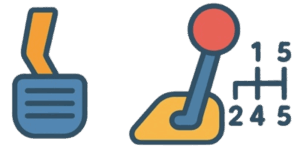
- Pedals and gear lever Visual controls respond to input so you see how throttle, brake and clutch affect vehicle motion and engine response.
Controls and pedal behavior
- Throttle Pressing the throttle increases speed. The longer the control is held, the greater the vehicle acceleration and the faster lane markers move.
- Brake Activating the brake slows the vehicle and reduces the speed of the lane markers. Holding the brake brings the car to a stop.
- Clutch The clutch must be used before changing gears. Engage the clutch to allow smooth gear changes and prevent jerks or stalls.
Gear shifting system
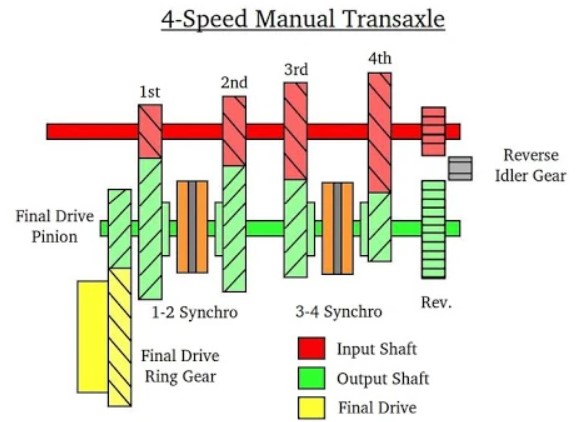
- Low gears First through third are for starts and slow speed driving. In first gear the road markings move slowly to help beginners get used to vehicle response.
- Mid gears Fourth and fifth are for steady cruising at moderate speed. Throttle inputs produce more perceptible increases in lane marker speed.
- Reverse When reverse is selected, road markings move upward to create a convincing backward motion effect. Use clutch and brake correctly before engaging reverse.
- Smooth shifts Change gears only with the clutch engaged. Abrupt shifts without clutch lead to jolts and loss of control in the simulator.
Practical training goals
Master smooth starts using coordinated clutch and throttle control. Shift through gears with minimal jolt and precise timing. Control speed during approach and braking near edges of the lane. Use visual references such as horizon line and roadside bands to judge speed and timing. Develop anticipation and reaction timing for manual transmission driving.
Beginners guide and tips
- Start on low gears and keep initial speeds modest to learn pedal feel and vehicle response.
- Practice gentle clutch release with a slight throttle input to avoid stalling.
- Watch the horizon line to anticipate when new lane markers will reach the vehicle, helping with timing for shifts.
- Increase speed and shift frequency gradually to build confidence.
- Use short, focused practice sessions to reinforce muscle memory for clutch and gear lever movements.
Practice rev matching for downshifts to reduce drivetrain shock and keep vehicle stable while slowing. Learn heel and toe technique to maintain revs while braking during spirited driving or rapid downshifts. Use clutch feathering to control creep at very low speeds in tight maneuvers. Train to modulate throttle smoothly when moving from clutch bite to full release to prevent lurches.
Safety and common mistakes
- Never release the clutch too quickly while under load, it causes sudden lurches and potential stall.
- Avoid riding the clutch by keeping it partially engaged while driving, this leads to excess wear.
- Do not shift without clutch, as it damages transmission and produces unstable motion.
- When learning, focus on coordination rather than speed to build reliable habits.
Simulator features and learning value
- Fully visual simulation of a manual transmission vehicle, useful for initial training and refresher practice.
- Realistic perspective and lane marker motion for accurate speed cues and depth perception.
- Controls modeled for core driver actions, including clutch dependent gear changes and reverse operation.
- Designed to teach essential manual gearbox skills without risk to real equipment or people.
Reference shift points in miles per hour
| Shift | Suggested speed | Note |
|---|---|---|
| 1 to 2 | 6 to 9 mph | Shift early and avoid overrevving on first gear |
| 2 to 3 | 16 to 19 mph | Listen to engine rpm for smooth transitions |
| 3 to 4 | 25 to 31 mph | Use on clear straight sections |
| 4 to 5 | 37 to 43 mph | Use on open roads for efficient cruising |
| Downshift 5 to 4 | 34 to 38 mph | Rev match when possible for a smooth downshift |
| Downshift 4 to 3 | 22 to 28 mph | Brake and downshift progressively |
| Downshift 3 to 2 | 12 to 18 mph | Use during slow city maneuvers |
| 2 to 1 or stop | Below 9 mph | Use first gear only for starts and very slow movement |
Practice drills to improve control
- Start and stop drill, focus on smooth clutch release and throttle control.
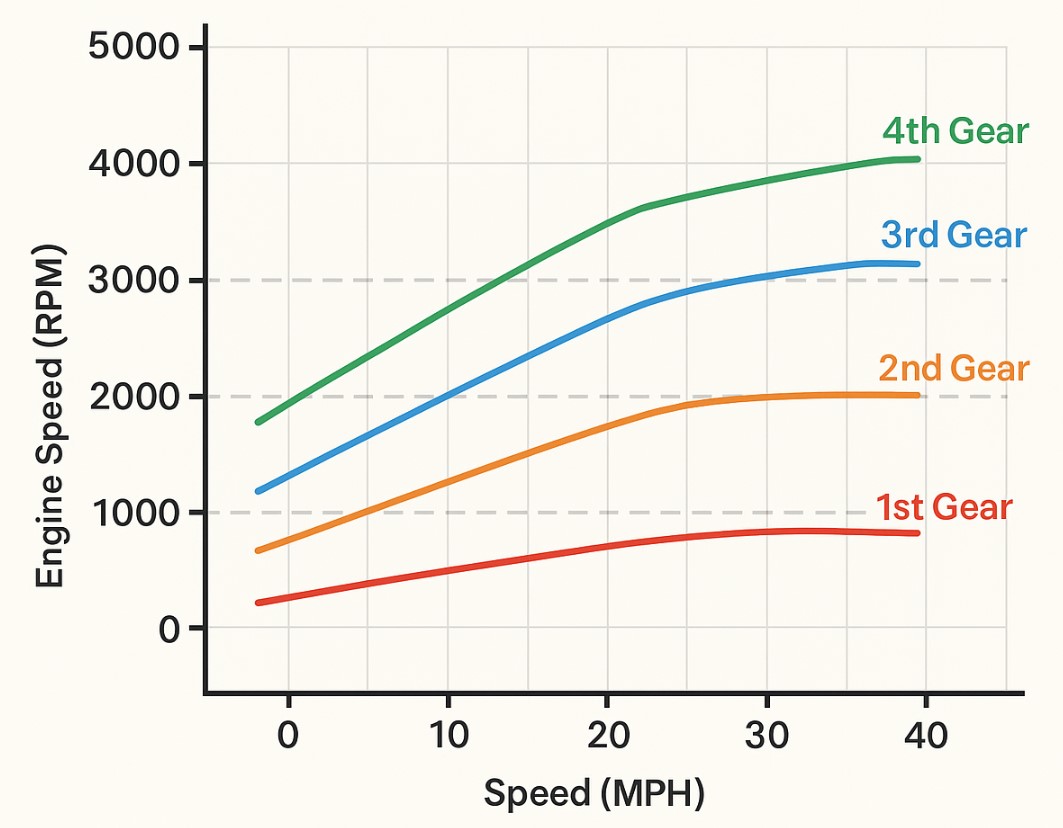
- Single gear acceleration, practice maintaining engine revs during sustained acceleration.
- Shift timing ladder, accelerate through a set of target speeds and shift at consistent rpm levels.
- Reverse control, practice backing with minimal steering and careful clutch modulation.

This manual gearbox simulator provides a compact and effective way to learn the relationship between pedals, gears and vehicle motion. Regular practice improves coordination and confidence, helping drivers transfer the skills to a real car with less anxiety and fewer mistakes.
Further reading
- Driving Skills Manual, United Kingdom Department for Transport
- On Driving, Denis Jenkinson
- How Cars Work, Tom Newton

David Parry — Senior Engineering Analyst
Specializing in electronics and physics-based simulations with 20+ years of engineering experience. David ensures the mathematical and physical accuracy of the tools at ProCalcLab.