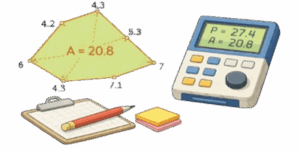
This interactive polygon area and perimeter tool saves time on estimating materials, checking site layouts, and avoiding costly measurement mistakes. Draw a shape, set the grid scale in feet, and get immediate results for side lengths, interior angles, perimeter and area. Works in the browser on desktop and phones. Export PNG or SVG for reports or plans.


Table of Contents
Why this matters
Area tells you how much two dimensional space a shape covers. Perimeter is the total length around the shape. For rectangles you can multiply length by width but most real plots are irregular. With vertex coordinates you can compute both area and perimeter accurately using well known algorithms. That means fewer surprises when ordering materials or planning fences.
✍ Accurate grid scaling prevents overbuying or underordering. For irregular shapes, the shoelace method is more reliable than eyeballing measurements.
What this tool does
Add and drag vertices on a canvas, set one cell to represent X feet, pick units and get instant area and perimeter. The app lists vertex coordinates, angles at each corner, and provides a 2D preview. Export labeled images with measurements and angles. Touch controls work on phones so you can measure in the field.
How to use it
- Tap or click the canvas to add a vertex. Drag points to adjust the shape.
- Set the grid scale — the physical length one grid cell equals in feet.
- Choose units. The tool supports feet, inches, square feet and acres for area.
- With three or more vertices the app shows area, perimeter, side lengths and corner angles.
- Use PNG or SVG export to save annotated diagrams for quotes or build plans.
Algorithms under the hood
Shoelace formula for area
Given vertices in order: \((x_0,y_0), (x_1,y_1), \dots, (x_{n-1},y_{n-1})\) the polygon area in grid cells is computed as
$$
S_{cells} = \frac{1}{2}\left|\sum_{i=0}^{n-1} \big(x_i y_{i+1} – x_{i+1} y_i\big)\right|
$$
Indices wrap so \(x_n=x_0\) and \(y_n=y_0\). Convert to feet using the cell size.
$$
S_{\text{ft}^2} = S_{cells}\times(\text{cellSize}_{\text{ft}})^2
$$
Perimeter
Distance between adjacent vertices in cells
$$
\ell_i^{cells} = \sqrt{(x_{i+1}-x_i)^2 + (y_{i+1}-y_i)^2}.
$$
Convert to feet and sum
$$
\ell_i^{ft} = \ell_i^{cells}\times\text{cellSize}_{\text{ft}},\quad
P=\sum_i \ell_i^{ft}.
$$
Corner angles
For vertex \(v_i\) construct two vectors to the neighbors and compute the oriented angle
$$
\vec A = (x_{i-1}-x_i,; y_{i-1}-y_i),
$$
$$
\vec B = (x_{i+1}-x_i,; y_{i+1}-y_i),
$$
$$
\theta_i = atan2\big(\det(\vec A,\vec B),\, \vec A\cdot\vec B\big)
$$
Convert radians to degrees using \(180/\pi\).
Pixel to real units — quick formulas
If grid cell equals gridSizePx pixels and represents cellSize feet then
$$
L_{\text{ft}} = \frac{L_{px}}{gridSizePx}\times cellSize_{\text{ft}}
$$
$$
S_{\text{ft}^2} = \frac{S_{px}}{(gridSizePx)^2}\times (cellSize_{\text{ft}})^2
$$
Units reference
Length conversions
| Unit | Symbol | In meters |
|---|---|---|
| Inch | in | 0.0254 m |
| Foot | ft | 0.3048 m |
| Yard | yd | 0.9144 m |
| Meter | m | 1 m |
| Mile | mi | 1609.344 m |
Area conversions
| Unit | Symbol | In square meters |
|---|---|---|
| Square foot | ft² | 0.092903 m² |
| Square yard | yd² | 0.836127 m² |
| Acre | ac | 4046.856 m² |
| Square meter | m² | 1 m² |
Worked examples
Example A — rectangle
Canvas rectangle is 12 cells wide by 7 cells tall. Grid cell size equals 10 pixels and cell scale equals 6 feet per cell.
- Perimeter in cells 2*(12+7)=38 cells
- Perimeter in feet P=38×6=228 ft
- Area in cells 12×7=84 cells²
- Area in square feet S=84×6²=84×36=3024 ft²
Example B — triangle
Vertices in cells A(4,4), B(14,4), C(9,12). Set cellSize = 3 ft. Side lengths in cells
- AB = 10 cells → 10×3 = 30 ft
- BC = √(5²+8²) ≈ 9.433 cells → 9.433×3 ≈ 28.30 ft
- CA ≈ 9.433 cells → 28.30 ft
- Perimeter ≈ 30 + 28.30 + 28.30 = 86.60 ft
- Area in cells 40 → S = 40 × 3² = 360 ft²
Practical uses
This tool is useful for material takeoffs, fence and edging planning, turf or paving estimates, landscape design, and quick site checks. Export as SVG for precise labeling in documents or PNG for quick sharing. When accuracy matters set the grid scale using a known reference on site, like a measured board or a marked line.

Accuracy notes and best practices
- Use the grid scale calibration step before measuring. A one percent scale error becomes a big area error on large plots.
- Round only the final numbers. Internal calculations use full floating point precision.
- For very thin or highly concave polygons, increase vertex density where curvature is high to avoid underestimating area.
- Check for self-intersecting polygons. The tool flags invalid shapes and will not produce an area until the shape is corrected.
Further reading — practical books
- “Practical Geometry for Surveyors and Civil Engineers” by J. H. Lienhard — real world measurement techniques.
- “Geometric Tools for Computer Graphics” by Philip Schneider — robust algorithms for polygons.
- “Surveying: Principles and Applications” by Barry F. Kavanagh — field calibration and accuracy control.

David Parry — Senior Engineering Analyst
Specializing in electronics and physics-based simulations with 20+ years of engineering experience. David ensures the mathematical and physical accuracy of the tools at ProCalcLab.