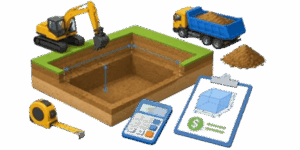
Excavation work looks simple from the outside. Dig a hole, move the dirt, check the size, and get the job done. In real life, the numbers matter a lot more than that. A small mistake in depth, slope, soil type, or haul volume can change the cost fast. That is exactly where an excavation calculator helps. It turns a rough idea into a clear estimate and makes planning much easier before a machine ever touches the ground.


✍ This calculator is built for everyday excavation planning. It helps estimate dense soil volume, loosened soil volume, bottom area, top area, and total cost. The 3D view gives a simple visual of the pit shape, so the project is easier to understand at a glance. That combination is useful for homeowners, contractors, site managers, estimators, and anyone who needs a fast answer without opening a spreadsheet.
Table of Contents
What this calculator does
The tool estimates how much material must be removed from a pit, trench, or excavation area. It also shows how much the soil expands after digging. That matters because excavated soil takes up more space when it is loose than when it is still in the ground. In other words, the hole may be one size, but the pile or trucked material is a different size.
What the user needs to enter
The calculator uses a few simple inputs. The exact fields may change depending on the shape selected, but the idea stays the same. Pick the excavation shape, enter the dimensions, set the loosening factor, choose the soil type, and enter the unit price.
| Input | What it means | Why it matters |
|---|---|---|
| Shape | Round, oval, pit, or box | Controls the geometry of the excavation |
| Bottom size | Lowest opening of the pit | Used to find the dense volume |
| Top size | Opening at the surface | Shows how the sides flare outward |
| Depth | Vertical dig depth | Key factor in volume and cost |
| Slope | Side angle of the excavation | Changes the top area and the total volume |
| Loosening factor | Expansion after digging | Used to estimate loose material volume |
| Soil type | Light, sand, clay, or hard ground | Helps match the material to real conditions |
| Price | Cost per unit of volume | Used for the final estimate |
Why soil loosens after excavation
Soil in the ground is packed together. Once it is dug up, air spaces open up between the particles and the volume increases. This is why one cubic yard of dense soil can become more than one cubic yard of loose soil after excavation. The exact increase depends on the material and how it breaks apart.
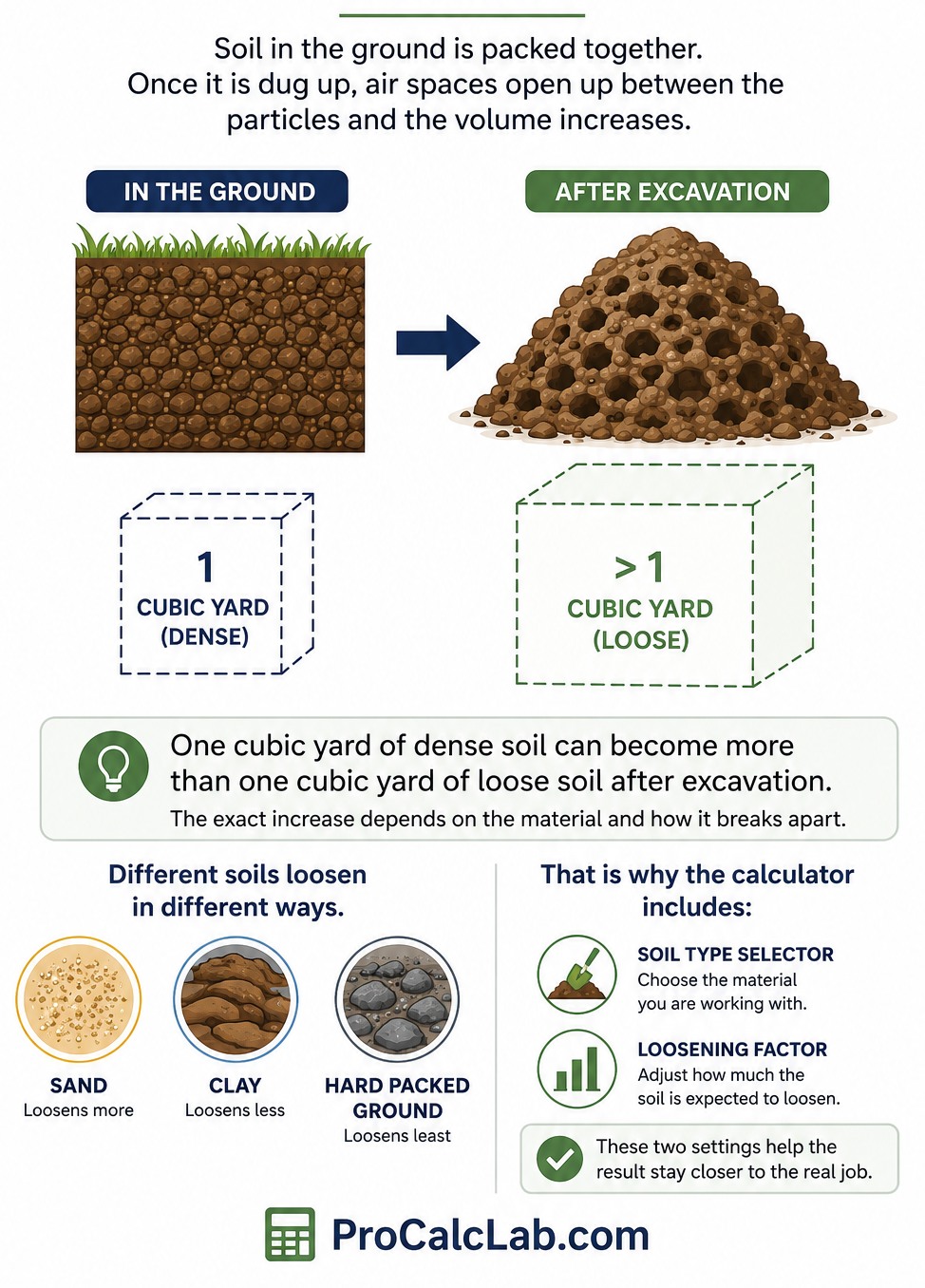
A light, sandy material may loosen differently from stiff clay or hard packed ground. That is why the calculator includes both a soil type selector and a loosening factor. These two settings help the result stay closer to the real job.
Simple formulas behind the estimate
The math is not complicated. The calculator uses basic volume and area formulas and then applies the loosening factor and unit price.
Dense soil volume
Vd = V
Loose soil volume
Vl = Vd × K
Bottom area
Ab = shape area at the base
Top area
At = shape area at the surface
Total cost
Pr = Vd × Pv
Here, Vd is dense soil volume, Vl is loosened soil volume, K is the loosening factor, and Pv is the price per volume unit.
How to use the calculator
- Choose the unit system at the top. Imperial is the default.
- Select the excavation shape that matches the job.
- Enter the dimensions shown for that shape.
- Adjust the loosening factor if the soil is expected to expand more or less.
- Pick the soil type that comes closest to the real ground condition.
- Enter the unit price.
- Read the result table and check the 3D model.
The calculator updates the answer as the inputs change. That makes it easy to compare a few design options without starting over each time.
Shape options and what they mean
| Shape | Best use | What changes most |
|---|---|---|
| Round | Simple circular pits | Diameter and depth |
| Oval | Longer pits with curved sides | Two radii and depth |
| Pit | Rounded excavation with wider top profile | Diameter and slope |
| Box | Rectangular excavation | Length, width, depth, and slope |
Each shape gives the same kind of result, but the geometry is different. A box pit may hold a very different amount of soil than a round pit with the same depth. That is why shape selection matters so much.
What the result table shows
The result table keeps the output simple. It shows the dense soil volume first, then the loosened volume, then the bottom and top areas, and finally the cost. That order is useful because it follows the way most people think about the job. First comes the hole. Then comes the pile. Then comes the price.
| Result | What it tells you | Why it is useful |
|---|---|---|
| Dense soil volume | Material in the ground before digging | Main excavation quantity |
| Loose soil volume | Material after it is dug up | Useful for hauling and disposal |
| Bottom area | Size of the excavation floor | Helps check layout and footprint |
| Top area | Size at the surface opening | Shows the effect of slope |
| Total cost | Estimated expense for the job | Fast budget check |
Why the 3D view is helpful
The 3D visualization is more than a decorative extra. It helps show the shape, side slope, and relative depth of the excavation in a way that numbers alone cannot. That can prevent misunderstanding when a project is being reviewed by a client, foreman, or property owner.
Example
Here is a full example using imperial units. This makes the process easier to follow for a U.S. project.
| Input | Value | Purpose |
|---|---|---|
| Shape | Round pit | Sets the geometry |
| Bottom diameter | 10 ft | Base size of the pit |
| Depth | 6 ft | Vertical excavation depth |
| Slope | 15° | Expands the top opening |
| Loosening factor | 1.25 | Accounts for soil expansion |
| Soil type | III Clay | Matches a common medium-heavy soil |
| Price | $18 per yd³ | Used for cost estimate |
Now walk through the numbers.
1. Bottom radius
Rb = 10 ÷ 2 = 5 ft
2. Side flare
Delta = 6 × tan 15°
Delta = 1.61 ft
3. Top radius
Rt = 5 + 1.61 = 6.61 ft
4. Bottom area
Ab = π × 5² = 78.54 ft²
5. Top area
At = π × 6.61² = 137.17 ft²
6. Dense volume
V = 6 ÷ 3 × [78.54 + 137.17 + √(78.54 × 137.17)]
V = 552.85 ft³
7. Convert to cubic yards
V = 552.85 ÷ 27 = 20.48 yd³
8. Loose volume
Vl = 20.48 × 1.25 = 25.60 yd³
9. Total cost
Pr = 20.48 × 18 = $368.64
That gives a clear estimate of both the actual excavation and the expanded material after digging. If trucking or disposal is part of the job, the loose volume is the number that matters most for loading and haul planning.
How soil type affects the estimate
The soil type selector helps match the estimate to the kind of material being excavated. Light soil usually breaks apart more easily. Sand behaves differently from clay. Hard or compact ground may require more effort and may create a different loose volume after excavation.
| Soil type | General behavior | Practical impact |
|---|---|---|
| I Light | Easy to move, low resistance | Often used for softer ground |
| II Sand | Loose and free draining | Can shift fast during excavation |
| III Clay | Denser and holds together more | Common on general earthwork jobs |
| IV Hard | Compacted and resistant | May increase effort and hauling needs |
These categories help the user choose a reasonable loosening value, but they are still only a planning guide. Real conditions can change from one part of the site to another.
When to trust the result most
This calculator is strongest when the excavation shape is known, the dimensions are measured carefully, and the soil is fairly consistent across the site. It works especially well for early estimates, bids, and rough planning. It is also good for comparing one layout against another to see which option uses less material.
The result should be treated as a planning number, not a final contract number. Final job pricing may also include labor, machine time, disposal, hauling distance, access issues, dewatering, and site cleanup. Those can all change the actual bill.
Common mistakes to avoid
A lot of bad estimates come from small mistakes. The most common one is using the wrong unit system. Another is entering depth where a radius or diameter is needed. A third mistake is forgetting that the top opening can be larger than the bottom opening when the sides slope outward.
Another problem is using dense volume for hauling. Excavated soil usually takes up more room once it is loose. That is why the loose volume line exists in the result table. It helps avoid underestimating truck loads or disposal space.
Practical uses for this calculator
This tool is useful for foundation digs, utility trenches, septic work, drainage pits, landscaping cuts, and small site preparation jobs. It can also help with jobsite planning when different excavation shapes are being compared side by side.
For a contractor, it saves time during early quoting. For a homeowner, it helps turn a rough idea into something easier to discuss with a crew. For a project manager, it gives a quick check before the schedule or budget gets locked in.
Reading the 3D model correctly
The 3D model shows the general shape, not a survey-grade drawing. That means it is meant for visual understanding, not exact staking. It is still valuable because it shows how the excavation opens up from the bottom to the top, and that can make the numbers much easier to interpret.

The model is especially helpful when the job has sloped sides. A sloped pit can look much larger at the surface than it does at the bottom. The 3D preview makes that difference obvious right away.
Quick summary of the workflow
- Select the shape.
- Enter the dimensions.
- Choose a loosening factor.
- Pick the soil type.
- Add the price.
- Review the dense volume, loose volume, areas, and total cost.
- Use the 3D view to confirm the layout.
That is the whole idea. The calculator keeps excavation planning simple, readable, and fast. It does the number work in the background so the user can focus on the job itself.
Final take
Excavation projects are easy to underestimate when the numbers are handled casually. A pit may look small on paper and still create a large haul once the soil is dug out and loosened. This calculator brings the most important values together in one place. It shows the size of the excavation, the expansion of the soil, the areas involved, and the estimated cost.
References
- U.S. Army Corps of Engineers. EM 1110-2-2300: General Design and Construction Considerations for Earth and Rock-Fill Dams. Washington, DC, 2004.
- U.S. Army Corps of Engineers. EM 385-1-1: Safety and Health Requirements Manual. Washington, DC.
- Federal Highway Administration. Earthwork Design. U.S. Department of Transportation.
- Federal Highway Administration. Earthwork and Drainage Construction Reviews. U.S. Department of Transportation.
- Federal Highway Administration. Engineer’s Estimate Manual. U.S. Department of Transportation.
- Natural Resources Conservation Service. Soil Survey Manual. USDA Agriculture Handbook No. 18.
- Natural Resources Conservation Service. National Soil Survey Handbook. United States Department of Agriculture.
- Natural Resources Conservation Service. Field Book for Describing and Sampling Soils. United States Department of Agriculture.
- Peurifoy R.L., Schexnayder C.J. Construction Planning, Equipment, and Methods. McGraw-Hill Education.
- Peterson S. Construction Estimating Using Excel. Pearson Education.
- Dagostino F.R., Peterson S.J. Estimating in Building Construction. Pearson Education.
- Harris F., McCaffer R. Modern Construction Management. Wiley-Blackwell.

Markus Fletcher — Structural Design Specialist
Expert in structural integrity, 3D modeling, and applied mathematics. Markus focuses on creating precise tools for construction professionals and DIY engineers.