| Total long. bars | — |
| Total stirrups | — |
| Rebar area | — |
| Total rebar length | — |
| Rebar weight | — |
| Concrete volume | — |
A reinforced concrete bond beam is one of those parts of a wall or masonry structure that does a lot of work without getting much attention. It ties the wall together, helps spread loads, and gives the structure more strength where openings, roof loads, or long wall runs create stress. This calculator is built to help with quick planning. It gives a fast estimate of the concrete volume, rebar count, bar spacing, total rebar length, rebar weight, and stirrup quantity for a bond beam layout.

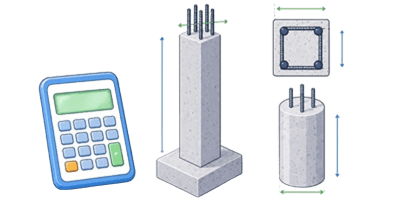

✍ The main idea is simple: enter the beam size, rebar size, spacing, and cover, then read the results in either imperial or metric units. The default setup uses imperial units, which is convenient for many U.S. jobs. The calculator also includes a unit selector, so the same project can be checked in metric without rebuilding the numbers from scratch.
Table of Contents
What this calculator helps with
This tool is useful during planning, estimating, and layout work. It is not a substitute for structural design, but it is very practical when the goal is to get a fast material estimate before ordering steel or mixing concrete. It helps answer questions like:
| Question | What the calculator gives |
|---|---|
| How much concrete is needed? | Concrete volume for the beam length and section size |
| How many longitudinal bars are needed? | Total bar count based on usable width and bar spacing |
| How many stirrups are needed? | Stirrup count based on beam length and stirrup spacing |
| How much rebar is in the beam? | Total rebar length and estimated rebar weight |
| How much steel area is in the beam? | Cross-sectional rebar area for the chosen bar diameter |
Inputs inside the calculator
Each field controls one part of the bond beam layout. The drawing updates as the values change, so it is easy to see how the beam is shaped and how the bars sit inside the concrete.
| Input | What it means | Typical use |
|---|---|---|
| Units | Chooses imperial or metric display and input mode | Imperial is the default |
| Length | Total beam run | Wall segment, lintel line, or bond beam length |
| Height | Vertical beam size | Beam depth or block bond beam height |
| Width | Horizontal beam width | Wall thickness or beam section width |
| Bar diameter | Main longitudinal rebar size | Used for area, weight, and total steel length |
| Longitudinal bar spacing | Spacing between main bars across the beam width | Controls how many bars fit in each layer |
| Stirrup spacing | Spacing between stirrups along the beam length | Controls stirrup count |
| Concrete cover | Clear distance from concrete edge to steel | Used to place steel inside the beam |
How to use it
The workflow is straightforward.
| Step | Action | Result |
|---|---|---|
| 1 | Select imperial or metric | The labels, limits, and result units switch to match the chosen system |
| 2 | Enter the beam length | The calculator knows the full run of the bond beam |
| 3 | Enter height and width | The concrete section is defined |
| 4 | Choose bar diameter | The calculator estimates steel area, steel length, and steel weight |
| 5 | Set longitudinal spacing | The number of main bars is calculated |
| 6 | Set stirrup spacing | The stirrup count is calculated |
| 7 | Enter concrete cover | The bars are kept inside the concrete envelope |
| 8 | Read the output table | Material quantities are ready for estimating |

What each result means
| Result | Meaning | Why it matters |
|---|---|---|
| Total long. bars | Total number of main bars across both layers | Useful for bar cutting and estimating steel quantity |
| Total stirrups | Total number of stirrups along the beam length | Useful for tie fabrication and placement planning |
| Rebar area | Total steel cross-sectional area | Useful for comparing reinforcement intensity |
| Total rebar length | Combined length of all main bars | Useful for material takeoff |
| Rebar weight | Estimated total steel weight | Useful for ordering and cost estimating |
| Concrete volume | Total concrete volume in the beam | Useful for mix ordering and form planning |
Simple formulas used by the calculator
The calculator keeps the math practical. The formulas below are shown in plain text, not special notation.
| Quantity | Formula |
|---|---|
| Concrete volume | V = length × width × height |
| Usable beam width for bars | usable width = width – 2 × cover |
| Main bar count per layer | bar count = floor(usable width / bar spacing) |
| Total main bars | total bars = bar count × 2 |
| Area of 1 bar | bar area = 3.1416 × diameter × diameter / 4 |
| Total rebar area | total area = bar area × total bars |
| Total main bar length | total length = total bars × beam length |
| Bar weight estimate | weight = steel area × length × steel density |
| Stirrup count | stirrups = ceiling(beam length / stirrup spacing) + 1 |
| Stirrup total length | stirrup length = stirrup count × stirrup perimeter |
Imperial example
Here is a practical example using imperial units. This is the kind of quick check that makes the calculator useful before ordering material.
| Input | Value |
|---|---|
| Units | Imperial |
| Length | 24 ft |
| Height | 8 in |
| Width | 12 in |
| Bar diameter | 0.5 in |
| Longitudinal bar spacing | 4 in |
| Stirrup spacing | 8 in |
| Concrete cover | 1.5 in |
What happens with those values?
| Check | Result | Meaning |
|---|---|---|
| Concrete volume | 16 ft³ | Enough concrete for the full beam run at the selected section |
| Usable width | 9 in | Width left after cover on both sides |
| Main bars per layer | 2 bars | Two bars fit across the width at 4 in spacing |
| Total main bars | 4 bars | 2 layers, top and bottom |
| Bar area of 1 bar | 0.1963 in² | Area of a 0.5 in diameter bar |
| Total rebar area | 0.7854 in² | Total steel area in the beam |
| Total main bar length | 96 ft | 4 bars × 24 ft each |
| Stirrups | 37 pcs | Approximate count based on 8 in spacing |
This type of example is useful because it shows the logic without needing to think through every step by hand. Once the input values look right, the outputs can be read almost immediately.
Metric example
The same beam can also be checked in metric. This is helpful when the design notes, supplier data, or site drawing use millimeters and meters.
| Input | Value |
|---|---|
| Units | Metric |
| Length | 7.3 m |
| Height | 200 mm |
| Width | 300 mm |
| Bar diameter | 12 mm |
| Longitudinal bar spacing | 120 mm |
| Stirrup spacing | 200 mm |
| Concrete cover | 25 mm |
| Check | Result | Meaning |
|---|---|---|
| Concrete volume | 0.438 m³ | Volume for the beam section and length |
| Usable width | 250 mm | Width remaining after cover |
| Main bars per layer | 2 bars | Two bars fit across the width at the selected spacing |
| Total main bars | 4 bars | Top and bottom layers combined |
| Total main bar length | 29.2 m | 4 bars × 7.3 m each |
| Stirrups | 38 pcs | Approximate count based on 200 mm spacing |
How to read the drawing
The drawing is there to help confirm the layout visually. It is not just decoration. The shaded beam block shows the concrete body. The inner frame shows the stirrup region. The dark circles show the longitudinal bars. The spacing and cover make it easier to spot whether the steel looks too tight, too loose, or too close to the edge.
| What appears in the drawing | What it means |
|---|---|
| Outer block | Concrete beam section |
| Inner frame | Stirrup path inside the cover zone |
| Dark circles | Main longitudinal rebar |
| Spacing labels | Beam dimensions and cover callout |
Practical notes for users
A bond beam should never be treated as just a box full of numbers. The calculator gives a fast estimate, but the actual layout still has to make sense for the job. A few practical rules help keep the input values realistic.
| Good habit | Why it helps |
|---|---|
| Keep cover realistic | Steel needs room inside the concrete and should not touch the edge |
| Check bar spacing against beam width | Bars that are too close together may not fit cleanly |
| Use the unit selector before entering values | Prevents mixed unit mistakes |
| Review the drawing after every change | Quick visual check catches obvious layout problems |
| Use the results as an estimate | Good for ordering and planning, not for final structural approval |
Common mistakes
Most errors with this kind of calculator are simple input mistakes. They are easy to avoid once the pattern is known.
| Mistake | What happens | Better approach |
|---|---|---|
| Mixing imperial and metric values | The beam size and steel count become meaningless | Switch units first, then enter all values in the same system |
| Using a cover that is too small | The bars may appear too close to the concrete edge | Use a practical cover value that fits the job |
| Setting bar spacing wider than the beam can support | The calculator may still place bars, but the layout may not be realistic | Keep spacing consistent with the beam width and reinforcement plan |
| Ignoring the visual preview | A bad layout can be missed | Check the drawing before using the result |
| Using the output as final design approval | The estimate may be correct, but the structure may still need engineering review | Use the calculator for planning and takeoff |
Quick reference table for unit thinking
This table helps keep imperial and metric values straight while working through the calculator.
| Item | Imperial | Metric |
|---|---|---|
| Beam length | ft | m |
| Beam height | in | mm |
| Beam width | in | mm |
| Bar diameter | in | mm |
| Bar spacing | in | mm |
| Concrete cover | in | mm |
| Concrete volume | ft³ | m³ |
| Rebar area | in² | mm² |
| Rebar length | ft | m |
| Rebar weight | lb | kg |
What makes this calculator practical
The real value of this calculator is speed. It lets a user move from a rough beam idea to a usable material estimate in a few seconds. It also keeps the layout visible while the numbers change, which reduces confusion. That makes it helpful for:
| Use case | Benefit |
|---|---|
| Early estimating | Fast planning before ordering materials |
| Jobsite checks | Quick adjustment of beam size or spacing |
| Client communication | Easy to show how the beam layout changes with different inputs |
| Material takeoff | Helpful for concrete and steel quantity estimates |
| Layout review | The drawing helps catch obvious fit issues early |
Short summary for users
Enter the beam size, choose the unit system, set the rebar diameter and spacing, and then read the output table. The calculator shows a visual beam layout and gives a clear estimate of steel and concrete quantities. Imperial is the default, so U.S. users can start right away without changing anything. Metric is available whenever a project needs it.
Literature
- ACI 318, Building Code Requirements for Structural Concrete
- ACI 530, Building Code Requirements and Specification for Masonry Structures
- Portland Cement Association, Reinforced Concrete Design and Construction guides
- CRSI, Reinforcing Steel Manual of Standard Practice
- McCormac and Brown, Design of Reinforced Concrete
- Wight and MacGregor, Reinforced Concrete: Mechanics and Design

Markus Fletcher — Structural Design Specialist
Expert in structural integrity, 3D modeling, and applied mathematics. Markus focuses on creating precise tools for construction professionals and DIY engineers.