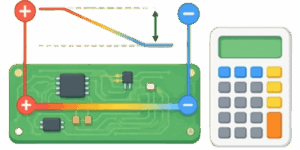
Use scroll wheel/pinch to zoom
Click to draw a trace
Double-click to clear
| Voltage Drop | 0.0000 V |
|---|---|
| Resistance | 0.0000 Ohm |
| Voltage Drop % | 0.00 % |
| Power Loss | 0.0000 W |
Every copper path on a printed circuit board acts as a physical resistor. When electrical current flows from a power source to a destination load, this inherent material resistance consumes a specific portion of the electrical energy. The lost energy converts directly into thermal heat and lowers the final voltage available to the receiving component. Hardware engineers must calculate this exact drop to ensure all microchips and sensors receive proper operating voltages. A delicate embedded system designed for 3.3 volts might completely fail if trace losses reduce the power supply down to 3.0 volts. Understanding and managing this natural loss ensures reliable hardware performance across all operating conditions.
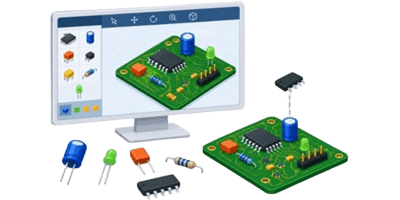


The web-based calculation tool simplifies this complex mathematical process. Users can upload a digital photo of a physical board, measure exact physical dimensions directly on the screen, and compute electrical parameters in real time. The interface supports direct visual interaction through screen taps on mobile devices or mouse clicks on desktop computers. This guide explains how to operate the interface and details the core mathematical principles behind power distribution networks.
Table of Contents
How to Operate the Trace Measurement Interface
Step 1: Setting the Preferred Measurement System
The application loads with Imperial units active by default. Users preferring Metric dimensions can switch calculation modes using the top toggle buttons. The Imperial mode measures trace width in mils, copper thickness in ounces, and physical path length in inches. The Metric mode utilizes millimeters and micrometers for high precision input. Changing the active system automatically converts all current slider values and input fields to the new unit scale.
Step 2: Uploading and Scaling Board Images
Users can upload a clear overhead photograph of a printed circuit board using the upload button. Supported file formats include PNG, JPG, and WEBP. Once the image appears on the interactive canvas, users must define the physical scale. The scale slider dictates how many screen pixels represent 1 inch or 1 millimeter of real-world distance. Proper calibration requires measuring a known component on the physical board, like a standard 100 mil pin header, and adjusting the scale slider until the digital measurement matches the physical reality.
📱 Navigation across large image files requires basic gestures. Desktop users can zoom in and out using the mouse scroll wheel. Mobile users can employ standard 2-finger pinch gestures to magnify specific trace routing sections. The image can be moved around the canvas by panning, allowing detailed inspection of tiny copper pathways.
Step 3: Drawing the Trace Path
Calculating the length of complex routing paths manually takes too much time. The interactive canvas allows users to trace the exact path of a copper line by clicking along its route. Each click places a visual marker on the image. The software instantly connects these markers with a red line and computes the total running length based on the active scale factor. If a mistake occurs, a quick double-click on the canvas clears all current markers and resets the length value back to 0.
Step 4: Defining Electrical Parameters
Accurate results depend on exact electrical inputs. The tool features 5 primary adjustment sliders:
- Scale: Defines the pixel-to-physical ratio.
- Source Voltage: The starting electrical pressure at the power supply pin.
- Circuit Current: The total amperage drawn by the load component.
- Trace Width: The physical width of the copper line.
- Copper Thickness: The weight or depth of the copper layer.
- Trace Length: The total distance the current must travel.
Users can drag the slider handles for quick estimations or type exact numeric values into the adjacent input boxes for maximum precision. Any change to these 6 parameters instantly updates the final results table.
Step 5: Reading the Results
The output table displays 4 critical metrics. The Voltage Drop row highlights the total volts lost along the copper path. The Resistance row shows the pure ohmic resistance of the trace. The Voltage Drop Percentage row indicates what fraction of the source power vanishes during transit. Finally, the Power Loss row displays the amount of electrical energy converted into heat, measured in watts. A dedicated download button at the bottom allows users to save a complete screenshot of the parameters and results for engineering documentation.
Understanding the Core Mathematics
The calculator relies on fundamental physical laws to generate accurate predictions. The basic relationship between voltage, current, and resistance comes from standard electrical theory. The simple formula for this relationship looks like this:
$$V_{drop} = I \times R$$
In this simple HTML representation, V represents the lost voltage, I represents the current flowing through the circuit, and R represents the calculated resistance of the copper path. However, determining that exact resistance value requires a more complex understanding of material science and 3-dimensional geometry. The resistance depends entirely on the cross-sectional area of the trace, its total length, and the inherent resistivity of copper. The complex formula for baseline resistance at room temperature is defined as:
$$R = \frac{\rho \cdot L}{W \cdot T}$$
Here, the Greek letter rho represents the specific electrical resistivity of copper, L represents the physical length, W represents the trace width, and T represents the copper thickness. The tool automatically handles all complex unit conversions, ensuring that mils, ounces, and inches translate correctly into standard engineering units before executing the final math.
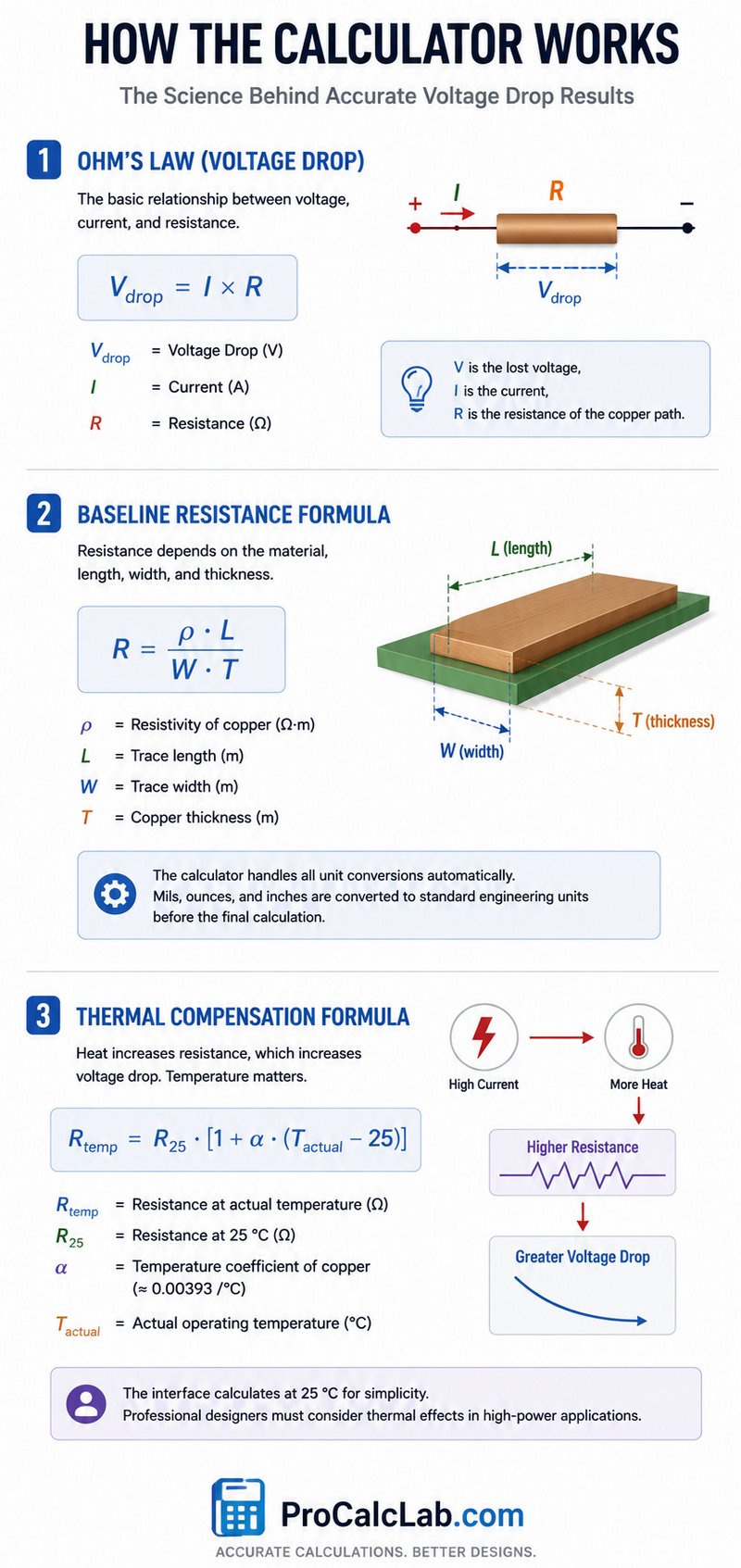
When high current flows through a narrow trace, the resulting power loss generates heat. This heat technically increases the resistance of the copper, leading to even greater voltage drops. The advanced thermal compensation formula looks like this:
$$R_{temp} = R_{25} \cdot [1 + \alpha \cdot (T_{actual} – 25)]$$
The alpha symbol represents the temperature coefficient for standard copper, usually rated at 0.00393 per degree Celsius. While the basic interface focuses on room-temperature calculations to keep user operation simple, professional designers must keep thermal runaway in mind when dealing with high-power applications.
Reference Tables for Board Design
Selecting the correct trace width prevents excessive power loss and dangerous overheating. The following reference tables provide standard baseline values for common engineering scenarios. These values assume standard 1 ounce copper thickness sitting on standard FR4 fiberglass substrate.
Standard Current Capacities
| Trace Width, mils | Max Current, Amps, for 10 C Rise | Resistance, Ohms per Inch |
|---|---|---|
| 10 | 1.0 | 0.048 |
| 20 | 1.7 | 0.024 |
| 30 | 2.2 | 0.016 |
| 40 | 2.7 | 0.012 |
| 50 | 3.2 | 0.009 |
| 100 | 5.5 | 0.004 |
| 200 | 9.0 | 0.002 |
| 400 | 14.5 | 0.001 |
Copper Weight Conversion Reference
Manufacturers specify copper thickness in ounces per square foot. This Imperial standard dictates how much a 1 square foot sheet of copper weighs. The tool interface uses these ounce values directly, but understanding the actual physical height remains important for impedance control and manufacturing tolerances.
| Copper Weight, oz | Thickness, mils | Thickness, micrometers |
|---|---|---|
| 0.5 | 0.68 | 17.5 |
| 1.0 | 1.37 | 35.0 |
| 2.0 | 2.74 | 70.0 |
| 3.0 | 4.11 | 105.0 |
| 4.0 | 5.48 | 140.0 |
Material Resistivity Values
While standard boards use pure copper, specialized aerospace or high-frequency applications might employ different plating materials. The base resistivity multiplier changes drastically depending on the chosen metal. All standard tool calculations assume pure copper routing.
| Conductive Material | Resistivity, Ohm-meters × 10^-8 |
|---|---|
| Silver | 1.59 |
| Copper | 1.68 |
| Gold | 2.44 |
| Aluminum | 2.65 |
| Tungsten | 5.60 |
| Nickel | 6.99 |
Practical Example Using Imperial Units
To fully understand how the tool processes data, examining a manual calculation proves helpful. Imagine a standard digital logic board powering a heavy load. The source power supply delivers exactly 5 volts. The destination component requires 3 amps of continuous current to operate its internal motors. The board manufacturer applied standard 1 ounce copper layers. The design engineer routed a power trace measuring 20 mils wide, running a total distance of 4 inches across the board surface.
- First, the user inputs 5 into the Source Voltage box. Next, the user sets the Circuit Current slider to 3. The Trace Width input receives the number 20, and the Copper Thickness remains at 1.0. Finally, the user sets the Trace Length to 4. The internal logic immediately begins processing the geometry.
- The cross-sectional area requires converting width and thickness into matching units. 1 ounce copper equals exactly 1.37 mils in physical height. Multiplying the 20 mil width by the 1.37 mil height yields a cross-sectional area of 27.4 square mils. Using standard copper resistivity constants, the algorithm determines that this specific geometry produces 0.024 ohms of resistance for every 1 inch of travel.
- Since the total path spans 4 inches, the tool multiplies 0.024 by 4, resulting in a total trace resistance of 0.096 ohms. Applying the basic HTML formula mentioned earlier, V = I × R, the software multiplies the 3 amps by the 0.096 ohms. The final voltage drop equals 0.288 volts.
- The tool then calculates the percentage loss. Dividing 0.288 lost volts by the original 5.0 source volts yields 0.0576. Multiplying by 100 reveals a 5.76 % voltage drop. Finally, the tool calculates thermal power loss. Multiplying 3 amps by the 0.288 voltage drop results in 0.864 watts of heat energy dissipating straight into the fiberglass substrate.
The engineer reviewing these exact numbers on the screen would immediately realize that losing over half a watt of energy on a single tiny trace will cause localized heating issues, prompting a rapid redesign using a wider 40 mil trace or a dedicated internal power plane.
Advanced Routing Strategies to Prevent Losses
When the tool reveals unacceptable loss percentages, designers must alter their layout geometry. The most direct solution involves increasing the physical trace width. Doubling the width from 10 mils to 20 mils cuts the resistance exactly in half. However, dense microcontroller designs often lack the physical surface space required for massive copper routes. In these tight situations, engineers utilize internal layers.
Multilayer boards allow dedicating entire internal solid copper sheets purely to power and ground distribution. A solid power plane effectively acts as an infinitely wide trace, reducing electrical resistance to near zero. When routing signals from a surface component down into these internal planes, designers utilize vertical metal cylinders called vias. Vias introduce their own tiny amounts of resistance. High-current applications require placing 3 or 4 vias clustered together to share the electrical load and prevent a single bottleneck from burning out.
Another common mitigation technique involves upgrading the base material. Specifying 2.0 ounce copper instead of standard 1.0 ounce copper doubles the vertical thickness of every route on the board. This strategy cuts overall resistance in half without requiring any layout changes, though it increases raw manufacturing costs and forces wider spacing between fine-pitch component pads due to etching limitations.
Point-of-load regulation offers the ultimate solution for extreme cases. Instead of distributing sensitive 3.3 volt lines across long distances, engineers distribute robust 12.0 volt power across the entire board. Small regulator chips sit immediately next to the sensitive destination components, dropping the 12.0 volts down to a clean, highly regulated 3.3 volts exactly where needed. This approach renders long-distance trace losses entirely irrelevant.
Conclusion and Best Practices
📉 Managing power delivery remains a critical aspect of modern electronics design. As microchips become smaller and consume more current at lower voltages, the tolerance for supply drops grows tighter. A simple 0.2 volt drop meant nothing to old 5.0 volt logic gates, but that same 0.2 volt drop will randomly crash a modern 1.2 volt memory processor.
Utilizing this calculator during the initial layout phase prevents expensive manufacturing mistakes. Users should always design their power distribution networks to keep total losses below 5 % of the source voltage. For hyper-sensitive analog measurement circuits, keeping losses below 1 percent guarantees maximum signal integrity and prevents measurement drift. Always verify critical power paths using the visual measurement canvas, and never assume the automatic router placed adequately sized power lines without manual confirmation.
Selected References and Further Reading
- Brooks, Douglas. Signal Integrity Issues and Printed Circuit Board Design. Prentice Hall, 2003.
- Johnson, Howard, and Martin Graham. High-Speed Digital Design: A Handbook of Black Magic. Prentice Hall, 1993.
- IPC-2221A Generic Standard on Printed Board Design. Association Connecting Electronics Industries, 2003.
- Bogatin, Eric. Signal and Power Integrity – Simplified. Prentice Hall, 2009.

David Parry — Senior Engineering Analyst
Specializing in electronics and physics-based simulations with 20+ years of engineering experience. David ensures the mathematical and physical accuracy of the tools at ProCalcLab.